Highlights
- A Philips universal remote allows you to control multiple home devices using a single, intuitive controller.
- Programming the remote is quick as long as you follow the right steps and enter the correct codes we have mentioned further in this guide.
- If you are looking for some new Philips universal remote codes, then let’s get started with the guide.
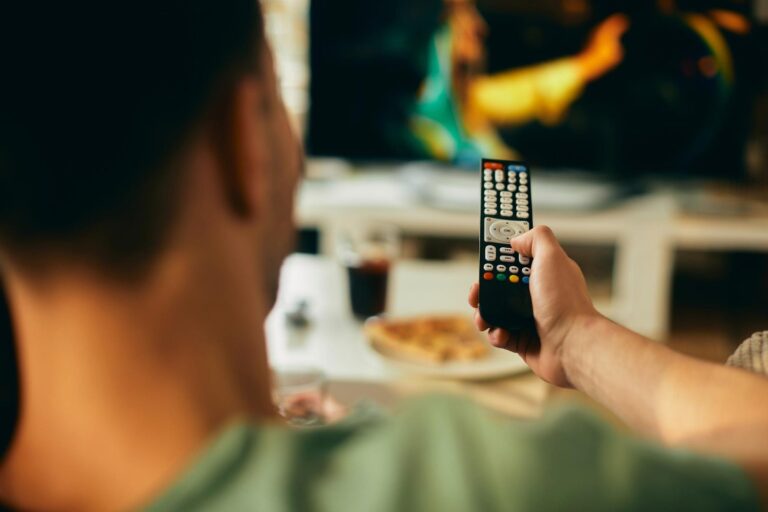
In today’s smart world, using too many remotes can be stressful, especially when you need a different controller for each device in your room. Well, here comes the universal remote that solves this problem by letting users control everything with just one remote.
Yes, we are talking about the Philips, one of the most advanced, affordable, and easy-to-use universal remotes. But, you need correct working codes to make it work like an all-in-one solution to control each device in your room.
Don’t want to miss the best from TechLatest?
Set us as a preferred source in Google Search
and make sure you never miss our latest.
However, finding those codes isn’t an easy task, as it takes time and a lot of research. But don’t worry, as we have made the work easier for you in this guide. Here in this guide, you’ll get the Philips Universal Remote Codes and learn about how to set it up. So, let’s get started with the guide.
What is a Philips Universal Remote?
Philips Universal Remote Codes List
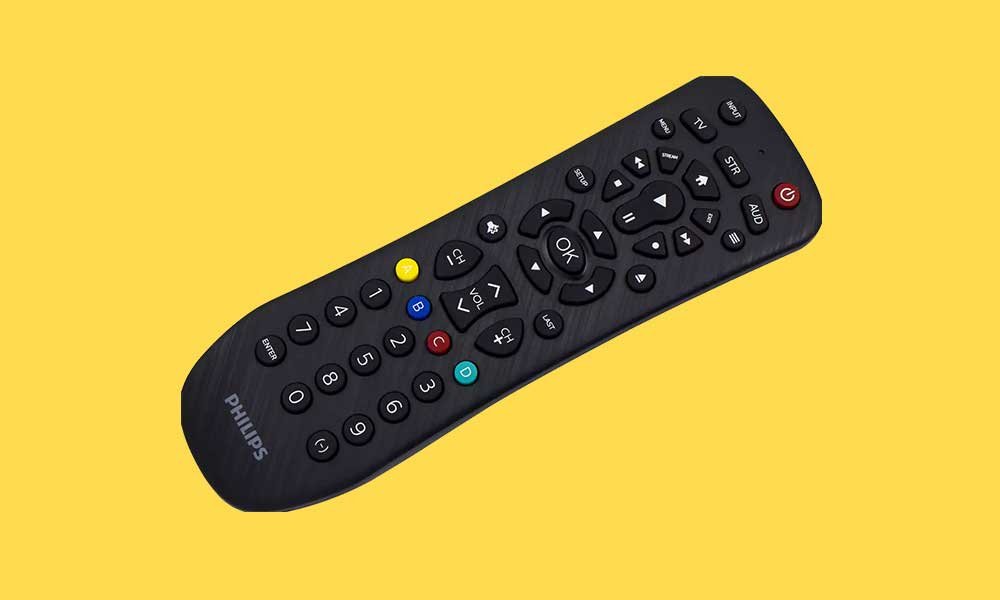
A Philips universal remote is a remote control that can replace multiple remotes in your home. So, instead of keeping separate remotes for your TV, DVD player, cable box, or streaming device, you can pair them all with this one remote.
Philips includes built-in support for hundreds of brands. But to connect each device, you need to enter a special 4-digit code. Once programmed, the remote will work just like the original remote for that device.
Why Use a Philips Universal Remote?
Here are a few simple reasons why a Philips universal remote is useful:
- One Remote for Many Devices: You don’t have to juggle between 3–4 remotes. One remote can control almost everything.
- Works With Major Brands: Brands like Samsung, LG, Sony, Philips, Panasonic, TCL, Hisense, and many others are supported.
- Very Affordable: Philips universal remotes are usually cheaper than most branded replacement remotes.
- Easy to Set Up: As long as you have the right code, connecting it takes only a minute.
- Good for Old and New Devices: Whether your TV is a new smart model or an old LCD/LED set, chances are the Philips remote supports it.
Philips Universal Remote Codes
Here are the codes that you need for your different devices:
Streaming Players
| Apple TV | 1093, 1664 |
| Roku | 2014, 4395, 0903 |
| Nvidia | 2744 |
| Xbox | 2824, 2134, 2144 |
Television
| Abex | 0120 |
| AOC | 0002, 0102, 0502, 0003, 0217, 0119, 0320 |
| BENQ | 0709, 0909, 0711 |
| Dell | 0522, 0404, 0814 |
| Emerson | 0002, 0502, 0006, 0115, 0506, 0706, 0520, 0906, 0316, 0505, 0614, 0324, 0924, 0626, 0826, 0027, 0327, 0128, 0228, 0632, 0134, 0247, 0605, 0705, 0805, 0703, 0903, 0004, 0519, 0106, 0104, 0304, 0604, 0804, 0005, 0105, 0305 |
| Envision | 0002, 0502, 0009 |
| GE | 0704, 0312, 0018, 0002, 0502, 0006, 0007, 0601, 0835, 0901, 0114, 0103, 0803, 0806, 0310 |
| Hitachi | 0410, 0507, 0815, 0607, 0808, 0002, 0502, 0710, 0802, 0707, 0315, 0515, 0715, 0519, 0324 |
| Hisense | 10748, 11314, 11660, 12183, 13519, 13523, 13949, 13950, 13953 |
| Insignia | 0911, 0520, 0323, 0115, 0914, 0213, 0318, 0247, 0504 |
| JBL | 0807 |
| LG | 0002, 0606, 0502, 0102, 0324, 0435, 0802, 0307, 0609, 0217 |
| Magnavox | 0807, 0002, 0502, 0247, 0919, 0224, 0430, 0402, 0408, 0109, 0715 |
| Panasonic | 0718, 0416, 0007, 0618, 0807, 0039, 0739, 0345, 0696, 0901, 0608 |
| Philips | 0807, 0022, 0020, 0422, 0122, 0222, 0322, 0002, 0520, 0919, 0521, 0621, 0430, 0247, 0901, 0402, 0408, 0109, 0210, 0310, 0715 |
| Philips-Magnavox | 0807, 0022, 0322, 0919, 0224, 0430 |
| RCA | 0704, 0002, 0406, 0007, 0011, 0611, 0811, 0312, 0514, 0720, 0102, 0502, 0601, 0817, 0917, 0835, 0901, 0103, 0803, 0211, 0912, 0114, 0519, 0320, 0420 |
| Roku | 2407, 2014, 0903, 2894, 4395 |
| Samsung | 10812, 10060, 10702, 10178, 10030, 10766, 10814, 11060, 11903, 11030 |
| Sanyo | 0506, 0311, 0612, 0002, 0428, 0802, 0412, 0619 |
| Sharp | 0509, 0913, 0907, 0603, 0002, 0502, 0224, 0228, 0202, 0111, 0813 |
| Sony | 0414, 0902, 0801, 0708, 0639 |
| Sylvania | 0807, 0002, 0502, 0115, 0520, 0919, 0324, 0247, 0402, 0408, 0109, 0715, 0717 |
| TCL | 6171, 5961, 6031, 6651, 6201, 5771, 2891, 1741 |
| Toshiba | 0517, 0419, 0512, 0613, 0719, 0112, 0506, 0111, 0618, 0627, 0437, 0041 |
| Vizio | 0709 |
| Westinghouse | 0915, 0013, 0611, 0614, 0415, 0215, 0324, 0529, 0609 |
| Yamaha | 0618, 0002, 0102, 0502 |
| Zenith | 0713, 0502, 0606, 0409, 0710, 0415, 0507, 0714, 0405, 0712, 0015, 0916, 0008, 0002, 0115, 0224, 0324, 0126, 0326, 0826, 0228, 0430, 0632, 0435, 0437, 0903, 0407, 0505, 0701 |
Blu-ray Players
| Hitachi | 0925 |
| HP | 4085 |
| Insignia | 4205, 0975, 2365 |
| JVC | 2385 |
| LG | 4285, 2635, 2335 |
| Magnavox | 2305, 0445, 3855, 2425 |
| Memorex | 2375 |
| Onkyo | 2355 |
| Panasonic | 2965, 4175, 2395 |
| Philips | 2415 |
| Pioneer | 4055, 4495 |
| RCA | 0146, 0915 |
| Samsung | 2345, 2725, 0075, 4125, 2325, 4095 |
| Sanyo | 2215 |
| Sharp | 4115, 2315 |
| Sony | 2305, 4165, 4275 |
| Sylvania | 1731, 4215, 2405 |
| TCL | 2435 |
| Toshiba | 2135, 2295, 2475 |
| Vizio | 4135, 4025 |
| Yamaha | 4075 |
DVD player
| Apex | 1025, 1405, 0245, 0045, 0425, 0615, 0845, 0945, 0965, 1065, 1105, 1235, 1245, 1675, 3825, 3895, 0845 |
| Coby | 0475, 2655, 2125, 3835, 3475, 0085, 0245, 0485, 0505, 0675, 0835, 2085, 2095, 2105, 2115, 2155, 2885, 3145, 3265 |
| Durabrand | 0205, 0435, 0955, 2685, 2935, 3515, 3525, 3885, 3925, 3945 |
| Dynex | 2255, 4235, 2455 |
| Element | 4305 |
| Emerson | 0975, 0205, 0445, 1185, 3745, 3815, 3855, 3885, 1612 |
| GE | 0915, 1105, 3895 |
| Hitachi | 0025, 0545, 0565, 0765, 0925, 1245, 3765 |
| Insignia | 0205, 4205, 3815, 3885, 2365, 0975, 0285, 0445, 0725, 1105, 1335, 1945, 2195, 2805, 2815, 2915, 3305, 3335, 3745, 3785, 3895, 0562 |
| JBL | 0585 |
| JVC | 2385, 2535, 0155, 0395, 0755, 1145, 1685, 2025, 2945, 3015, 3795, 3805 |
| Kenwood | 0935, 1075 |
| LG | 4285, 2635, 3915, 2335, 2555, 2565, 0205, 0635, 1565, 2925, 3785, 3885, 0562 |
| Magnavox | 0445, 3815, 4105, 2425, 0975, 0105, 0295, 0735, 0745, 1045, 1055, 1225, 1395, 2945, 3025, 3715, 3745, 3795 |
| Memorex | 0435, 2375, 1925, 2755, 3125, 3495 |
| Mitsubishi | 2585, 1415, 3895 |
| Onkyo | 2355, 2505, 0355, 1435, 3795, 3985 |
| Panasonic | 4175, 2965, 4005, 2395, 2595, 2605, 0165, 0385, 0545, 0595, 1075, 1195, 1215, 3105, 3775, 3975 |
| Philips | 2615, 2415, 2625, 4105, 0745, 0105, 0265, 0445, 0735, 1045, 1055, 1225, 1395, 1615, 2665, 2705, 2765, 2775, 2945, 3165, 3705, 3715, 3745, 3795, 3815 |
| Philips-Magnavox | 4105, 0735, 0745, 1055, 1225, 1615, 2945, 3795 |
| Pioneer | 4485, 0025, 0525, 0705, 0875, 0985, 1245, 1595, 1775, 2675, 2855, 2895, 2975, 3695, 3905 |
| RCA | 0915, 0146, 2465, 0215, 0955, 1105, 1135, 1165, 1645, 2755, 2905, 3895, 3945 |
| Samsung | 2485, 3085, 2725, 4125, 2285, 2325, 2345, 4095, 0075, 0255, 0565, 1305, 1535, 1725, 2185, 2995, 3555, 3765, 3865, 4451 |
| Sanyo | 2215, 2205, 2495, 0095, 0405, 2225, 2235, 2245, 2645, 3945 |
| Sharp | 3115, 4115, 2315, 2445, 0555, 0625, 0815, 2795, 4315, 4325, 4335 |
| Sony | 2865, 2985, 3995, 2305, 4165, 4275, 0365, 0535, 0715, 0725, 0895, 0905, 2165, 3055, 3685, 3825 |
| Sylvania | 1731, 2405, 4215, 3875, 3855, 0445, 3745, 3815, 1612, 1672 |
| TCL | 2435 |
| Toshiba | 2135, 2435, 4145, 2295, 2475, 2545, 0015, 0115, 0735, 1735, 1745, 2145, 2175, 2835, 3065, 3075, 3325, 3495, 3795, 0682 |
| Vizio | 4135, 2265, 4405, 4415, 4425, 4435, 4445 |
| Westinghouse | 2865 |
| Yamaha | 4105, 0745, 1055, 1075, 1095, 1225, 2785, 2945, 3005 |
How to Program a Philips Universal Remote (Using Codes)
Follow these steps carefully to program a Philips Universal Remote using code mentioned above:
- Switch on the device you want to pair, like your TV or DVD player.
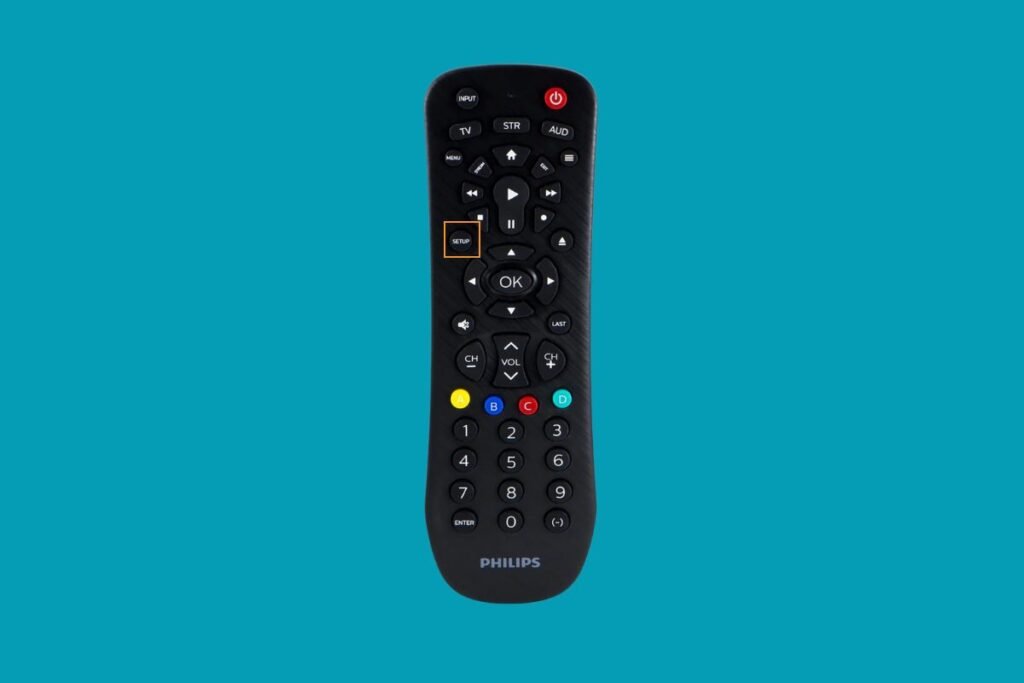
- Hold the Setup button until the small red light stays on.
- Press the button for the device you are programming (TV, DVD, etc.). The red light will blink once and then stay solid.
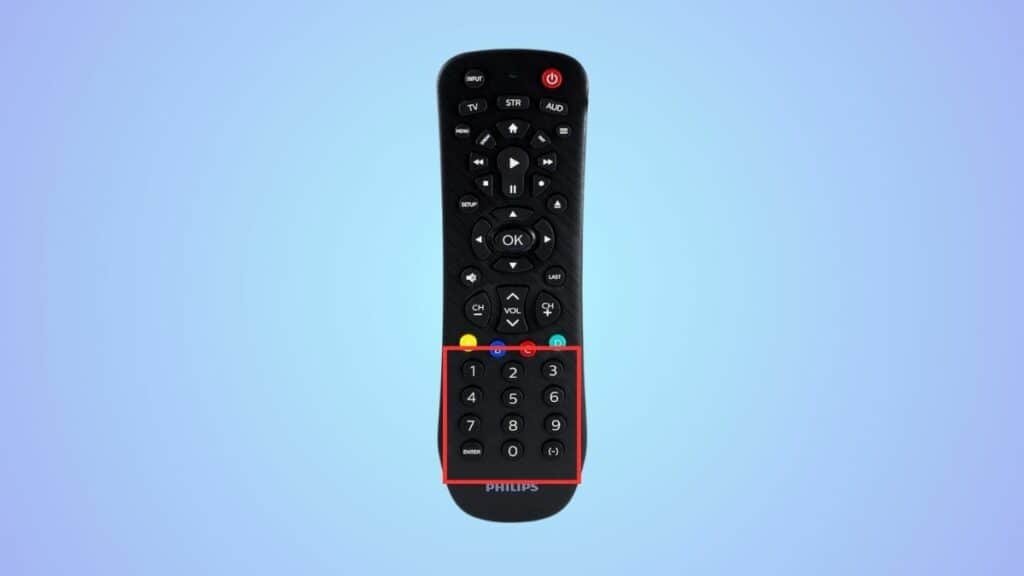
- Use the numeric buttons on the remote to enter the code from the list above. If the code is correct, the red light will turn off automatically.
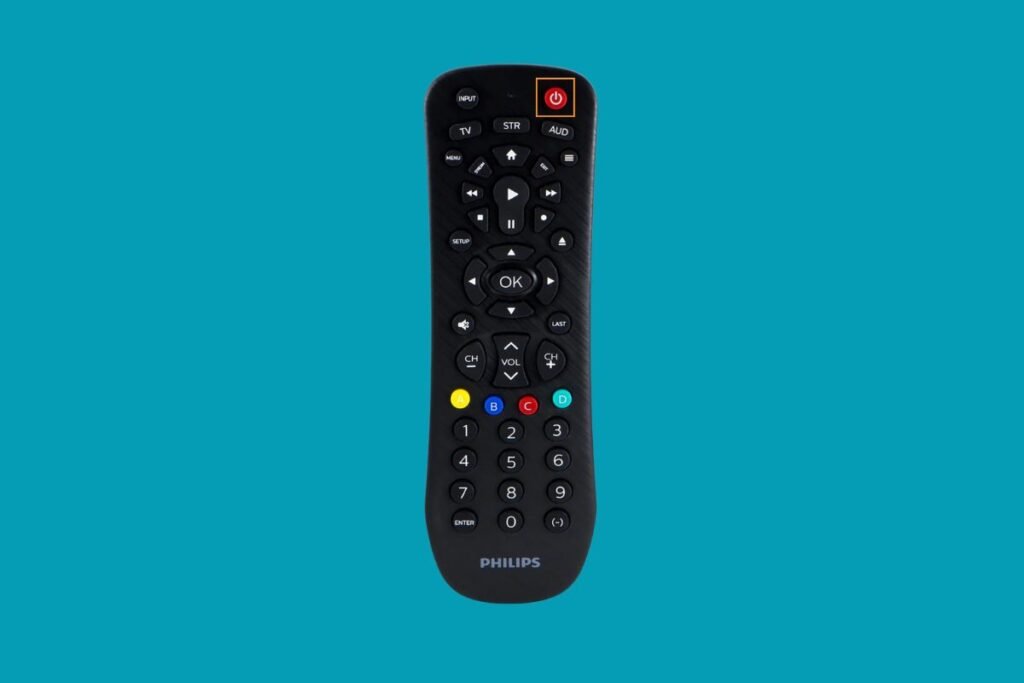
- Press the Power button. If your TV turns off, the Setup is complete. If not, try the next code in the list.
How to Program a Philips Universal Remote (Auto Code Search)
If you don’t know the correct code, you can try the auto search method.
- Turn on your device
- Hold Setup until the red light stays on
- Press the device button (Example: TV)
- Press the Power button repeatedly. Each press sends a batch of 10 codes to your device.
- When the device reacts, stop.
Once the TV turns off or responds, the code has been found. The remote will save it automatically.
Related Reads:
- GE Universal Remote Code List and Guide
- RCA Universal Remote Code List and Guide
- ONN Universal Remote Code List and Guide
FAQs
Can one code work for all TVs?
No. Each brand and model uses different signal systems.
Does the Philips universal remote work with smart TVs?
Yes, as long as the brand is supported. Smart features may not work, but basic controls usually do.
How many devices can I control at once?
Most Philips universal remotes support 3–6 devices, depending on the model.
Do I need to reprogram the remote after changing batteries?
No. The remote remembers saved codes even if the batteries are removed.
Wrap Up
So, that’s all we have for you about the Philips Universal Remote Codes. We hope that this guide has helped you. However, in case you find any code that is not working or outdated, please comment below and let us know in the comment section below.
Enjoyed this article?
If TechLatest has helped you, consider supporting us with a one-time tip on Ko-fi. Every contribution keeps our work free and independent.
Support on Ko-fiDirectly in Your Inbox