Why Most In-House Scrapers Die Early
Anyone who has tried pulling Google search results at volume already knows the wall you hit.
Don’t want to miss the best from TechLatest?
Set us as a preferred source in Google Search
and make sure you never miss our latest.
The first hundred queries go fine.
By query five hundred, half your requests come back as CAPTCHA or empty pages.
Hit a few thousand, and Google starts feeding you a stripped-down version of the SERP that looks nothing like what real users see.
Teams that need to access live SERP data via API usually arrive at that option after burning weeks trying to keep a homemade scraper alive past the proof of concept stage.
The Hidden Cost of DIY Scraping
Manual scraping looks cheap on paper.
You spin up a headless browser with Puppeteer or Playwright, point it at google.com/search, parse the HTML, and done.
The problem is that Google’s frontend is not a static document.
It’s a JavaScript-heavy app that renders different layouts depending on your IP location, user agent, cookie state, account login, and roughly a dozen other signals you don’t control.
A featured snippet might appear for one request and vanish on the next.
AI Overviews sit above the organic results sometimes and not others.
Local packs render differently in Łódź than in Chicago, which matters if you’re tracking rankings for a client that cares about both.
The Proxy Problem
Then comes the proxy problem.
To get past rate limits, you need rotating residential proxies, not datacenter IPs, because Google fingerprints datacenter ranges within hours.
Decent residential pools run anywhere from $5 to $15 per GB, and a single SERP fetch with images and ads can easily pull 2 to 3 MB.
Multiply that by the number of keywords, locations, and devices you want to track.
The math gets ugly fast, and that’s before you factor in the engineer hours spent fixing parsers every time Google ships a layout change.
What a SERP API Actually Does
A SERP API sidesteps most of this by absorbing it for you.
You send a keyword, a location, and a device type and get back structured JSON with the organic results, ads, knowledge panel, related searches, and any other SERP feature present.
The provider handles proxies, CAPTCHA solving, browser rendering, and parser updates.
When Google rolls out a new module, which happens often these days, the API output gets patched on their end, not yours.
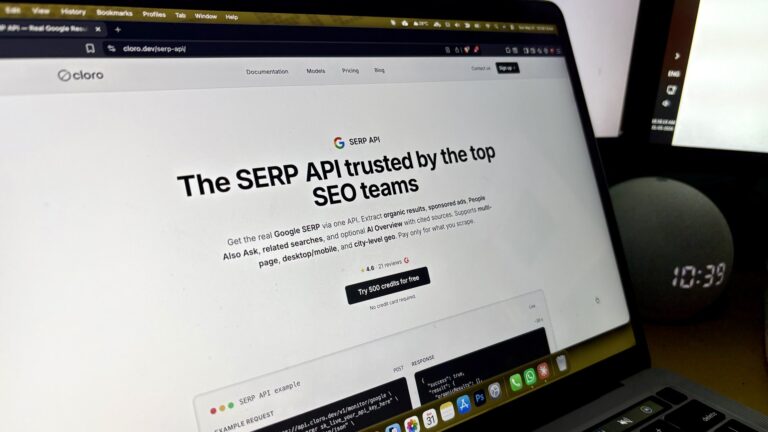
Tools like cloro.dev sit inside this broader category, where the real value is less about the scraping itself and more about keeping a clean data pipeline running without babysitting.
Running the Cost Math
Cost-wise, the comparison is less obvious than people assume.
A mid-tier SERP API plan runs roughly $0.50 to $2 per thousand queries, depending on the provider and how much enrichment you need, things like raw HTML, screenshots, or JS rendering.
Running your own scraper at the same reliability tier, meaning a sub-5% error rate, accurate localization, and full SERP feature parsing, usually costs more once you tally proxies, infrastructure, and the dev time to keep parsers current.
“Cheaper” makes sense only at small volumes, like under 10k queries a month, or when you have very specific needs an API can’t cover.
When Manual Scraping Still Wins
There are still cases where manual scraping wins.
If you need niche search engines that no commercial API supports, or you’re scraping Bing or DuckDuckGo, whose defenses are lighter, building it yourself is reasonable.
The same goes for compliance-heavy setups where you can’t send queries through a third party or research projects where you control the volume and can tolerate gaps.
Anything where speed and consistency matter, like agency rank trackers, SEO tools, or anything with paying customers depending on the data, leans hard toward the API option.
What to Check Before Picking a Provider
A few things worth checking before you commit:
- Location granularity: city level beats country level. Some APIs only support country targeting, which is useless if you care about local SEO.
- Device emulation: mobile and desktop SERPs differ a lot now. The API should let you pick.
- SERP feature coverage: Confirm they parse AI Overviews, People Also Ask, local packs, and shopping results, not just the ten blue links.
- Latency: rank trackers polling thousands of keywords need sub-5-second response times.
- Refund policy on failed queries: any provider charging for failed scrapes is one to avoid.
The Bottom Line
The honest version is that manual scraping made sense five years ago when Google’s defenses were softer, and SERPs were simpler.
Today, the engineering load is too high for most teams to justify, and the time you spend chasing parser bugs is time you’re not spending on the actual product.
A SERP API is essentially renting a problem someone else has already solved.
Enjoyed this article?
If TechLatest has helped you, consider supporting us with a one-time tip on Ko-fi. Every contribution keeps our work free and independent.
Support on Ko-fiDirectly in Your Inbox