Building a CV from scratch used to take an evening, most of it spent on formatting and on finding the right words for ordinary experience.
AI CV makers have compressed the task to about twenty minutes for most people, provided the twenty minutes are spent in the right order. The tool handles structure, phrasing, and layout; the person supplies accurate facts and checks the output.
Don’t want to miss the best from TechLatest?
Set us as a preferred source in Google Search
and make sure you never miss our latest.
This is a step-by-step guide to that process, with timings. It assumes you have a job in mind, access to a browser, and either an old CV or a reasonable memory of what you’ve done. It covers preparation, the brief, generation, review, tailoring and export, plus the mistakes that turn twenty minutes into two hours.
Before you start: what you need to hand
- A posting for the kind of role you’re targeting, or at least a clear role title
- Your employment history with dates (an old CV, LinkedIn, or memory)
- Your education and any certifications, with years
- Five minutes of quiet
You don’t need a template, a design, or any idea of how a CV should look. That’s what the tool is for.

Making CV With AI in 20 Minutes
Minute 0–7: write your raw material
This is the step most people skip and the one that determines the quality of everything after it. Open a notes app or a blank document and, for each role in the last ten years, write in plain sentences:
- The employer, your title, the dates
- The scale of what you handled: team size, budget, customers, volume, users
- Three to five things you did that changed something, with how you did it and what the result was
- The tools, systems, or methods you used
Numbers can be approximate if that’s honest (“about,” “roughly”). For older roles, one line each. Then add education, certifications with years, languages, and one line stating the role you’re applying for.
Don’t worry about phrasing. “Ran the night shift at the distribution center, 22 people, got the mispick rate down from around 2% to under 1% by changing how we did the handover” is exactly the right input. The tool will turn it into a bullet; it can’t invent the content.
Minute 7–9: write the brief
The brief tells the tool what to produce. Four or five lines:
Build a [one-page / two-page] CV for a [role title] in [country]. [Country conventions: e.g., no photo, no date of birth or personal details beyond contact.] Three-line professional summary. Grouped skills section. Under each role, 3–5 bullets stating what I did, how, and the result, using the numbers I’ve provided. Brief education and certifications. [Anything to leave out.]
State the country, because conventions differ. State the length, because tools default long. State “using the numbers I’ve provided,” which reduces the chance of invented figures.
Minute 9–11: generate
Paste the brief and the raw material into an ai cv maker and let it produce the draft. Quillbot’s works in the browser without an install, accepts notes or an old CV as input, follows a brief for format and country, and is free. The draft appears in under a minute.
If the output is noticeably off (wrong length, a section you didn’t want, or a format for the wrong market), adjust the brief and regenerate rather than fixing it by hand. Regeneration is faster.
Minute 11–17: review line by line
This is where accuracy is protected. Read every line of the draft against your raw material with four questions:
- Is every fact exactly right? Names, dates, titles, numbers, and certification names. Tools occasionally merge roles, round figures, or rename qualifications.
- Did I do this, in this way? Tools inflate: “led” becomes “spearheaded,” and “helped with” becomes “drove.” Replace with the plain verb that’s true.
- Is anything here that I didn’t provide? Delete it. An invented detail is the worst thing a CV can contain.
- Would I say this in an interview? If a bullet makes you wince, rewrite it in your own words.
Then check the summary. It should say what you are in the market’s terms, give your strongest evidence, and say what you’re looking for. If it’s generic, rewrite it by hand; it’s three lines, and it’s the most-read part of the document.
Finally, check the skills section lists only things you could be tested on, and delete any section the tool added that you didn’t ask for (interests, references, or a second summary).
Minute 17–19: tailor to the posting
Open the posting. Note its first three or four responsibilities and the skills it names. Then:
- Reorder bullets under each role so the most relevant results come first
- Adjust the summary to name the role type and the one or two things the posting emphasizes
- Add any skills from the posting that you genuinely have and had left out
- Use the posting’s terms where they’re true of your work (“stakeholder management,” “incident response,” whatever they say)
Don’t add anything that isn’t true to match the posting. Tailoring is emphasis, not invention.
Minute 19–20: export and name
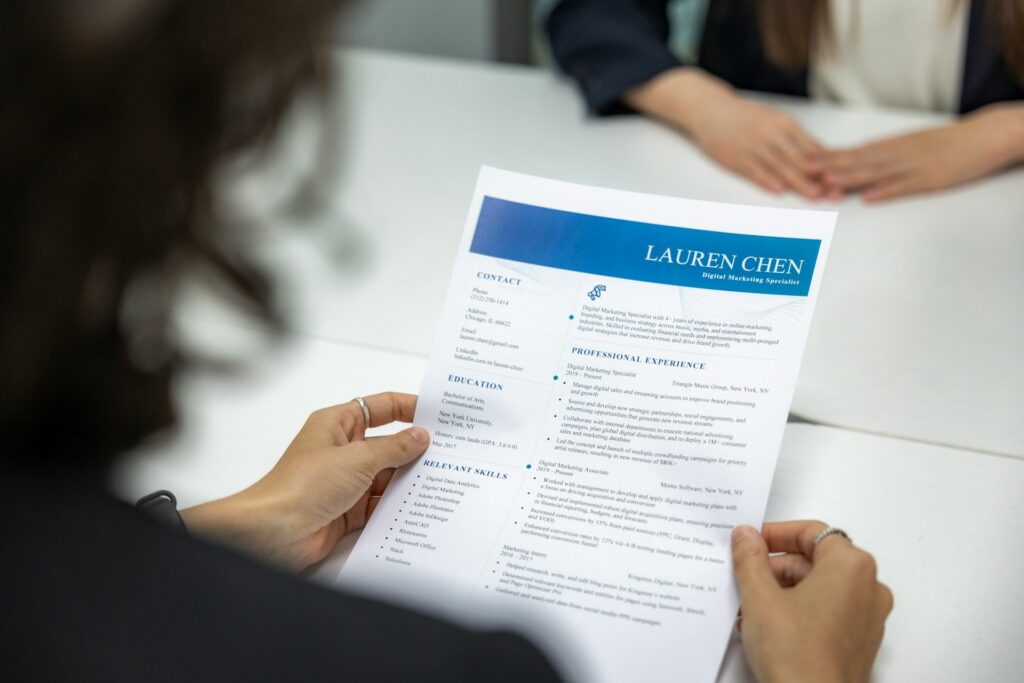
Export as a PDF. Open the PDF in a different app or on your phone to confirm the layout survived and nothing is cut off. Name the file “Firstname-Lastname-CV.pdf.” Send.
The After Process
Adjusting the brief by country
The brief’s country line changes more than spelling:
- US / Canada: one page under ten years’ experience; call it a resume; no photo or personal details; heavy on numbers.
- UK / Ireland: two pages; called a CV; no photo; professional summary at the top.
- Germany / Austria: traditionally a tabular Lebenslauf with a photo and date of birth, though international employers increasingly accept the Anglo format; check the employer.
- India: two pages; CV and resume used interchangeably; remove photos and personal details for multinationals and international applications.
- Australia / New Zealand: two to three pages acceptable; no photo.
- Gulf states: photo and nationality are often still expected.
Put the target in the brief, and the tool applies the conventions. For applications to several countries, generate one version per country from the same raw material.
Reviewing the skills section
The skills section is where tools are over-included. Keep only items you could be tested on, grouped so a reader can scan them: tools and software, technical or domain skills, languages, and certifications if not listed separately.
Remove soft skills (“communication,” “teamwork”); they can’t be verified from a list, and they take space from things that can. If the posting names a tool you’ve used, make sure it’s there, spelled as the posting spells it.
What you’ve produced
A one- or two-page CV with a specific summary, grouped skills, achievement bullets with numbers, consistent formatting, and a layout that applicant tracking systems parse. It took twenty minutes because the thinking happened in the first seven and the tool did the formatting.
When it takes longer
The twenty-minute figure assumes a reasonably linear career and a role you’re already qualified for. Expect longer for:
- Career changes. Add ten minutes mapping your experience onto the new field’s vocabulary before writing the raw material.
- Long careers. Add five minutes deciding which older roles to compress to a line.
- Academic or research CVs. The comprehensive format with publications takes longer to assemble, though the tool still handles structure; allow an hour.
- Multiple role types. Generate a base version per role type (ten minutes each) and tailor from those.
- No old CV and poor records. The raw-material step can take thirty minutes if you’re reconstructing dates and figures.
Mistakes that cost time
Skipping the raw material. Typing straight into the tool produces thin input and thin output, and then you spend an hour rewriting. Seven minutes of notes first saves that hour.
Accepting the first output unread. The review step is where invented details and inflated verbs are caught. Skipping it is how people end up unable to defend their own CV in an interview.
Fixing format by hand. If the layout is wrong, change the brief and regenerate. Hand-fixing a generated layout is slow and usually makes it worse.
Choosing a design-heavy template. Two-column layouts with icons look good in preview and parse badly in applicant tracking systems. Single column, standard headings.
Tailoring by rewriting. Tailoring is reordering and a few word changes, not a new document.
A worked example
Raw material for one role:
Marketing coordinator, regional charity, 2022–2024. Ran the email program; the list grew from about 8,000 to 22,000. Set up the monthly newsletter, open rate around 31%. Organized the annual fundraising dinner twice, 180 and 210 guests, and raised £34k and £41k. Managed two volunteers. Used Mailchimp, Canva, and Eventbrite.
Generated and reviewed output:
Marketing Coordinator, [Charity] (2022–2024) – Grew the supporter email list from ~8,000 to 22,000 and launched a monthly newsletter with a ~31% open rate (Mailchimp) – Organised the annual fundraising dinner in 2023 and 2024: 180 and 210 guests, raising £34k and £41k, respectively – Managed two volunteers across events and communications – Produced all event and campaign collateral in Canva; ran ticketing through Eventbrite
Every fact came from the notes. The tool supplied structure and compression. Review time for this role: about a minute.
Keeping it to twenty minutes next time
Save the raw material. When the next application comes, update it with anything new (a line a month is enough), regenerate with the new posting’s brief, review, tailor, and export. The second time takes ten minutes. The master record is the asset; the CV is a view of it.

The two-minute cover note
Most applications want a short note with the CV. Three paragraphs, written after the CV so it draws from it: the role and where you saw it; the two or three results from the CV most relevant to the posting; and a plain closing line with availability.
Under 150 words, addressed to a named person if the posting gives one, in the email body rather than as a second attachment. The CV maker can draft it from the same raw material and edit the opening by hand so it’s specific to the employer.
A final checklist
- Every fact matches your raw material
- No verb you wouldn’t use in an interview
- Nothing in the document you didn’t supply
- Summary rewritten by hand if the generated one was generic
- Skills section pruned to verifiable items
- Bullets reordered for this posting; posting’s terms used where true
- Single-column PDF, checked on a second device, named with your name
Keeping LinkedIn in step
Recruiters check LinkedIn against the CV. After exporting, spend three minutes copying the new summary into the profile headline and about section, and the reordered bullets into the current role. A CV that says one thing and a profile that says another costs more credibility than either document earns.
Questions people ask
Can I do this on a phone? Yes. Write the raw material in a notes app, use a browser-based CV maker, export the PDF and send from your email app. Allow a few extra minutes for typing.
What if I don’t have numbers? Use honest approximations or describe the outcome in words (“reduced the backlog to zero within a month”). A credible approximate beats a precise invention.
Is a free tool good enough? For most people, yes. The quality difference between tools is smaller than the difference between good and bad input.
Will employers know I used AI? Only if the output goes out unedited. An edited, specific CV is indistinguishable from one written by hand.
For people with no CV at all
If you’ve never had a CV, the raw-material step is longer but the method is the same. Start with education and dates, then list every job, internship, volunteer role, project and responsibility you’ve held, with anything measurable attached.
Student roles, part-time work and family-business experience all count if you can describe an outcome. Feed that to the tool with a brief for an entry-level or early-career one-page CV. The review step matters even more here, because the tool will be tempted to inflate thin experience into grand language; keep the verbs plain and the claims defensible.
Key points
- Spend the first seven minutes writing raw material with numbers; it determines everything.
- Brief the tool with country, length, sections and “using the numbers provided.”
- Review every line for accuracy, inflation and invented detail; rewrite the summary by hand if it’s generic.
- Tailor by reordering and vocabulary, not by rewriting.
- Export as a single-column PDF, check it on another device, name it sensibly.
- Keep the raw material as a master record; the next CV takes ten minutes.
Enjoyed this article?
If TechLatest has helped you, consider supporting us with a one-time tip on Ko-fi. Every contribution keeps our work free and independent.
Support on Ko-fiDirectly in Your Inbox