Video localization is a practical way to maximize global reach and significantly boost engagement and conversion. Among all localization steps, dubbing is one of the most important by replacing the original spoken dialogue with a new audio track in the target language.
Dubbing helps viewers listen in their own language, usually with the combination of subtitles. Modern AI dubbing makes the process even faster and more cost-effective to localize large volumes of content.
Don’t want to miss the best from TechLatest?
Set us as a preferred source in Google Search
and make sure you never miss our latest.
In this article, we compare the top five AI dubbing options for video localization. We focus on how each platform supports high-quality dubbing for your video. You can choose the best AI dubbing tool according to your content style, budget, language needs, and editing workflow.
Why AI Dubbing?
AI dubbing recreates a speaker’s tone and pacing, matches the new audio with the original lip movements, and cuts production time and cost. A single product demo, tutorial, ad, or training video can now serve many markets around the world.
Top 5 AI Dubbing Tools for Video Localization
1. VMEG AI
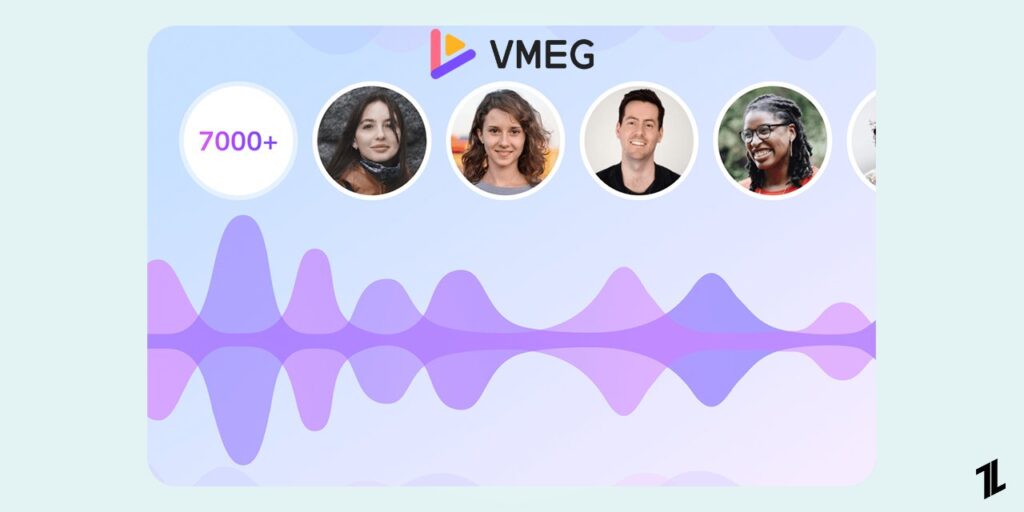
VMEG is an all-in-one AI video localization platform that can help creators, educators, and businesses easily localize content to reach global audiences. With no need for complex tools or large production teams, VEMG combines video translation, dubbing, subtitles, and voice cloning into a single workflow.
The platform emphasizes fast online processing, 170+ language support, 7000+ realistic human voices, and editable output. It automatically recognizes video speech, generates natural-sounding voiceovers, and syncs the new audio with the speaker’s lip movements for a strong AI dubbing capability.
Key Features
- Supports dubbing and translation in 170+ languages and accents for broad global reach.
- Generates natural AI voiceovers with 7000+ male and female voices and adjustable emotion, pitch, and speed.
- Includes voice cloning and advanced lip-sync to create high-quality dubbed audio across languages.
- Provides auto-generated subtitles (including bilingual subtitles) to support multilingual accessibility.
- Editable dubbed audio (timing and voice settings) and translated text for better localization quality.
- Exports dubbed videos in MP4 and subtitle files in SRT format for different platforms.
- Works online and accepts content from devices as well as social and cloud sources.
Strong all-in-one localization workflow.
Wide language coverage for companies targeting many regional markets.
High-quality dubbing with realistic voices and emotion control.
It is a strong choice for teams that need both speed and scale for repeated localization tasks.
Compared with some competitors, it feels more localization-focused rather than only voice-focused.
No free tier for tests.
Editing is sometimes required to fix pacing or phrasing after dubbing.
Compared to avatar-based tools (like Synthesia), it focuses more on localization than video creation.
Pricing: Provides a $1.50 trial package (180 credits/3-day trial) for new users. Subscription starts from $19.2/month (billed annually).
Best for: Creators, marketers, e-commerce sellers, and training teams that want a complete localization workflow in one place.
2. ElevenLabs
ElevenLabs is widely known for high-quality AI voice generation. Its Dubbing Studio extends that strength into video localization, allowing creators more control over the dubbing process. The platform focuses on preserving the original speaker’s emotion, tone, style, and timing across supported languages.
It automatically detects speakers, generates transcripts, creates realistic voice clones, and also allows users to customize scripts, track, and regenerate. What makes ElevenLabs particularly attractive for creators and media teams are voice naturalness and fine voice control.
Key Features
- Supports AI dubbing in 29 languages with a focus on voice quality and speaker authenticity.
- Detects multiple speakers and assigns separate voice tracks.
- Clones voice while preserving original speaker identity.
- Editable transcripts and translations before final export.
- Allows users to control over voice style, tone, stability, and similarity for each segment. Adjusts timing and pacing.
- Offers clip editing, like split, merge, or reposition audio. Regenerate a single clip when users update settings or translated text.
- Provides a flexible timeline for fine-tuning sync between audio and on-screen action.
- Also accepts uploads and links from social platforms.
ElevenLabs is one of the strongest options in this list for voice realism and emotional delivery.
Advanced editing control over scripts, and how dubbed audio sounds.
Professional workflow integration with multiple export formats.
Fewer supported languages.
More complex interface, which may not be beginner-friendly.
Pricing: The free tier allows 3 projects in the studio; subscriptions start from $5/month with 20 projects.
Best for: It is ideal for storytelling, creator content, interviews, and media where voice character matters.
3. Synthesia
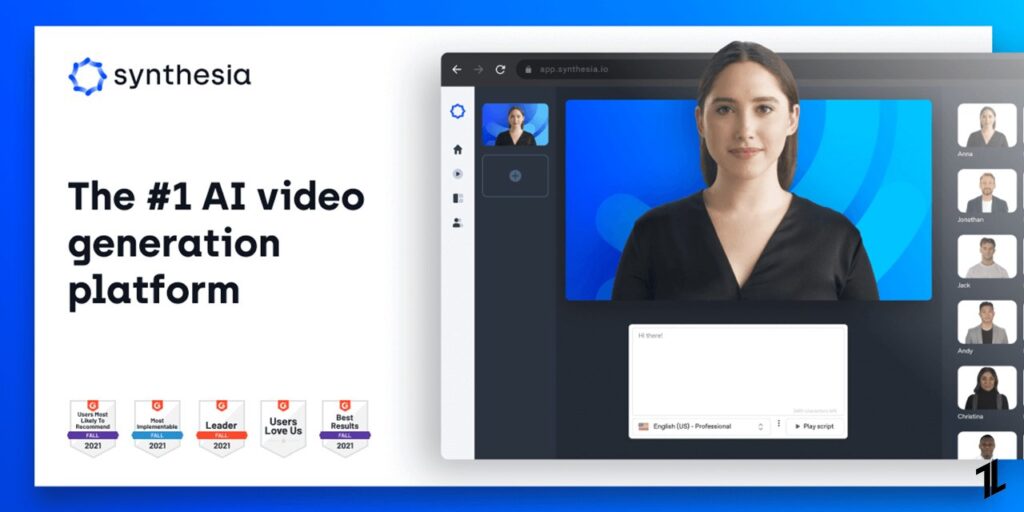
Synthesia is best known as an AI video creation platform that can help teams quickly turn existing videos into multilingual content. It supports dubbing in 130+ languages and accents, voice preservation, and lip-sync, while fitting naturally into Synthesia’s broader ecosystem.
The localized videos are suitable for training, product education, internal communications, and marketing with features like a multilingual video player, secure editing tools, and easy sharing options. Instead of treating dubbing as a separate task, teams can create, localize, manage, and publish multilingual content in one system.
Key Features
- Translates and dubs videos into 130+ languages and accents automatically.
- Uses advanced voice cloning and lip-sync technology.
- Supports multi-speaker videos and keeps each speaker’s voice consistent.
- Flexible subtitles generation—choose to turn on or off.
- Editable script—refine translations and timing.
- Allows control over video duration (keep original timing or adapt to translation).
- Provides a multilingual video player that auto-selects the viewer’s language.
- Enables sharing via a single smart link for all language versions.
- Includes free trial access, with advanced features available in paid plans.
All-in-one workflow for dubbing, subtitles, and distribution.
Easy-to-use interface, suitable for non-technical users.
A unique multilingual player simplifies publishing and sharing.
Well-suited for business scenarios. Reduces the need to move between localization and collaboration tools.
Less control over fine voice customization compared to tools like ElevenLabs.
Focuses more on workflow and scalability than deep editing flexibility.
Pricing: The free tier includes 1200 credits and 10 minutes of video per month, and subscriptions start from $14/month (billed yearly).
Best for: Teams who need to distribute localized content at scale across training, marketing, and internal communication.
4. HeyGen
HeyGen’s dubbing workflow doesn’t just dub video content but completely localizes it. From translation to voice generation and lip-sync, users can turn one video into many localized versions in minutes.
HeyGen dubs and localizes your content into 175+ languages and uses AI voice cloning to keep the original speaker’s tone, style, and personality across different languages. And it highlights simplicity and speed with a highly automated workflow.
Key Features
- Translates and dubs videos into 175+ languages and dialects.
- Clones the speaker’s voice, preserving the original tone, style, and personality.
- Lip-sync technology aligns the new voiceover with facial movements, creating a smooth and natural viewing experience.
- Two dubbing modes (Speed vs. Precision) provide different quality and efficiency.
- Users can dub video with lip-sync and try audio-only dubbing workflows.
- A wide range of voices and accents are supported.
- Generates subtitles and captions for accessibility and engagement.
- Editable scripts. Users can review and refine translation accuracy and style.
Fast dubbing.
Easy to use with a simple workflow.
Wide language support, one of the broadest among tools.
Flexible dubbing modes balance quality and efficiency
Good fit for marketing, social media, and training content.
Less advanced editing control compared to tools like ElevenLabs.
Voice customization is more limited for fine-tuning details.
Output quality may require review.
Pricing and credit limits can affect large-scale usage.
Pricing: The free tier supports 3 videos (up to 3 minutes) per month and 30+ languages. Creator subscription starts from $29/month.
Best for: Suitable for teams that need to localize content quickly at scale, such as marketing, training, and social media videos.
5. Maestra
Maestra AI is designed for transcription, subtitle, and voiceover generation. Its AI dubbing tool allows users to translate and dub videos into 125+ languages using realistic voices or cloned voices. It translates your video and dubs in a single workflow, maintaining speaker identities and fine-tuning translations on the same interface.
What makes Maestra different is its focus on usability and real-time workflows. It supports live transcription and translation and offers a free no-login experience. You can upload files from your device or paste a link, even record audio, or capture your screen for dubbing immediately.
Key Features
- Dubs videos into 125+ languages.
- Combines transcription, translation, dubbing, and subtitles in one platform.
- Allows voice cloning in 29 languages and 800+ AI-generated voices to keep the original speaker identity.
- Supports lip-sync to better match dubbed audio with video timing.
- Provides a text-based editor to adjust scripts, timing, and voiceovers easily.
- Detects multiple speakers and enables per-speaker voice editing.
- Generates subtitles automatically and supports multilingual subtitle export.
- Enables real-time transcription and live translation for dynamic content.
Beginner-friendly.
Large voice library with good language coverage.
Free, no-login entry makes it easy to try instantly (Account is needed for exports).
Good for practical use cases like YouTube, courses, and meetings.
Voice quality and emotional depth are not as advanced as ElevenLabs.
Output may need manual polishing for premium content.
Pricing: Basic dubbing and voiceover starts from $39/month (billed annually).
Best for: Creators, educators, and teams who want quick, practical video localization without a steep learning curve.
Conclusion
Good dubbing improves clarity, retention, and trust. It also makes a video feel more native to the target audience. And AI has made this process much easier. This article reviewed the top 5 AI dubbing tools in 2026. Use them to dub and localize content for global audiences much faster, cheaper, and more scalable than before. Now, try these tools and pick one to reach audiences worldwide.
Enjoyed this article?
If TechLatest has helped you, consider supporting us with a one-time tip on Ko-fi. Every contribution keeps our work free and independent.
Support on Ko-fiDirectly in Your Inbox