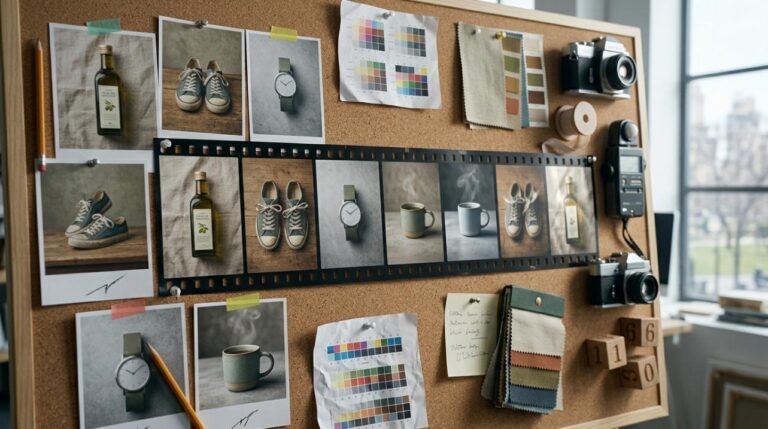
Static product ads run into a common problem: the product photo looks good on the page, but the ad still feels flat once it lands in a fast-moving feed. A polished Shopify hero image can do its job on a storefront. On paid social, it often needs motion to hold attention.
That is why image-to-video tools are getting so much attention. The issue is that there are now plenty of options, and many of them sell the idea of cinematic output without being very clear about what matters for ad teams working from existing product images.
Don’t want to miss the best from TechLatest?
Set us as a preferred source in Google Search
and make sure you never miss our latest.
If the goal is to turn still product shots into short promo clips without building a bigger editing process around them, it makes more sense to judge the workflow before the wow factor. That is also why tools like Media.io are worth a closer look.
What To Look For Before You Start
If you are turning Shopify product images into ad clips, it helps to evaluate these tools from a marketer’s perspective, not an editor’s. You are usually looking for speed, consistency, and motion that feels deliberate enough to run in an ad.
The main things to check are:
- Model variety: Different products call for different motion styles. A skincare bottle and a sneaker launch should not be animated the same way.
- Ease of use: When you need several test versions quickly, a simple browser workflow is easier to work with than a heavier setup.
- Templates: Good templates save time, especially for repeat ad formats.
- Output quality: The motion should feel clean and controlled, not random or overly dramatic.
- Workflow continuity: It helps when you can generate a clip, make light edits, add music, improve audio, or upscale it without moving across several tools.
- Low-risk testing: Free daily credits or easy trials make it easier to test before committing.
Motion prompt support also matters more than many teams expect. If you animate a still image with no real direction, the result can look generic. A short instruction like “slow camera push-in with soft background movement” gives the clip a clearer purpose. For teams starting from product stills, a free image to video ai generator is often the easiest way to test that process before investing more time in a larger editing stack.
Quick Comparison Table
Here is a quick comparison focused on product promo clips rather than full-scale video production.
| Tool | Model Variety | Ease of Use | Templates | Workflow Continuity | Best Fit |
|---|---|---|---|---|---|
| Media.io | Strong, with multiple video models | Very beginner-friendly | 5000+ templates | Good for editing, music, and refinement in one browser workflow | Best overall for most Shopify ad teams |
| Runway | Strong | Moderate | Limited compared with template-led tools | Good, but often better for more advanced creative teams | Better for teams wanting more experimental visuals |
| Canva | Light to moderate | Very easy | Strong | Good for basic design workflows | Better for design-first teams needing simple motion |
| CapCut | Moderate | Easy | Good | Strong for social editing | Better if editing is the main priority after generation |
| Pika | Strong in style-driven output | Moderate | Limited | More focused on generation than broader ad workflow | Better for niche visual experimentation |
If you are weighing speed, motion generation, and a clean browser workflow together, Media.io is the easiest all-around starting point for most Shopify ad creative work.
Also, Read: Is AI Coming for My Job? An Engineering-First Look at What Actually Changes
How Media.io Fits Those Criteria
Media.io makes sense for this use case because it is built to keep the process straightforward. You can upload a product image, add a motion prompt, choose from multiple video models, and generate variations in the browser without turning the task into a long production process.
The template library helps too. With 5000+ templates, it gives ad teams a quicker starting point when they are testing different angles, formats, or visual directions. Free daily credits also make early testing less risky, which is useful when you are still figuring out whether a tool fits your workflow.
The bigger advantage is what happens after generation. The clip does not have to stop at export. You can move into light editing, add music, improve audio, or refine the asset inside the same broader workflow. For smaller teams, solo operators, and in-house marketers, that kind of continuity matters more than a long feature list.
This is where Media.io fits best: teams with strong product stills that want to turn them into short paid social assets without building a full video production system for every campaign.

Step-By-Step Workflow
Here is a simple three-step workflow for turning a Shopify hero image into a short promo clip.
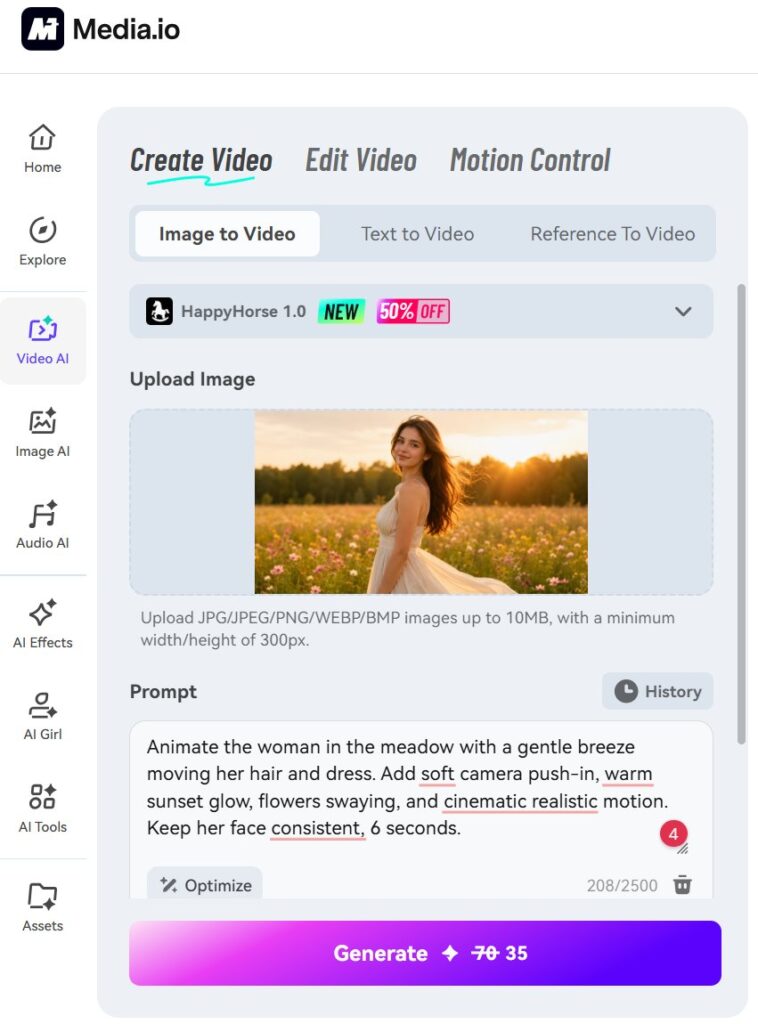
Step 1. Upload A Product Image
Open Media.io, go to the image-to-video workflow, and upload the product image you want to animate. Start with a clean still: good lighting, a clear focal point, and as little background clutter as possible.
A strong source image usually leads to a better result. If the original product shot feels messy, motion will not fix that.
Step 2. Describe The Motion And Choose A Model
Add a short motion prompt that matches the ad style you want. That could be a slow camera push-in, soft background movement, or a subtle premium reveal. Then choose the video model or template direction that fits the format and aspect ratio you need.
Short prompts are often enough. You are setting the motion direction, not trying to script every frame.
Step 3. Generate, Review, And Refine
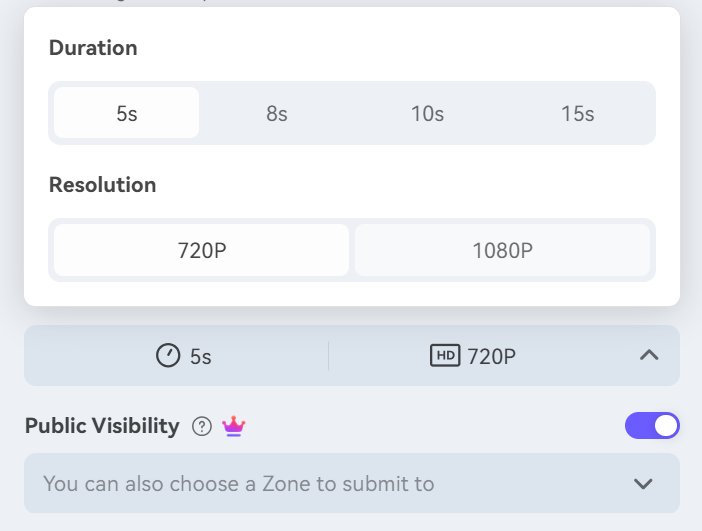
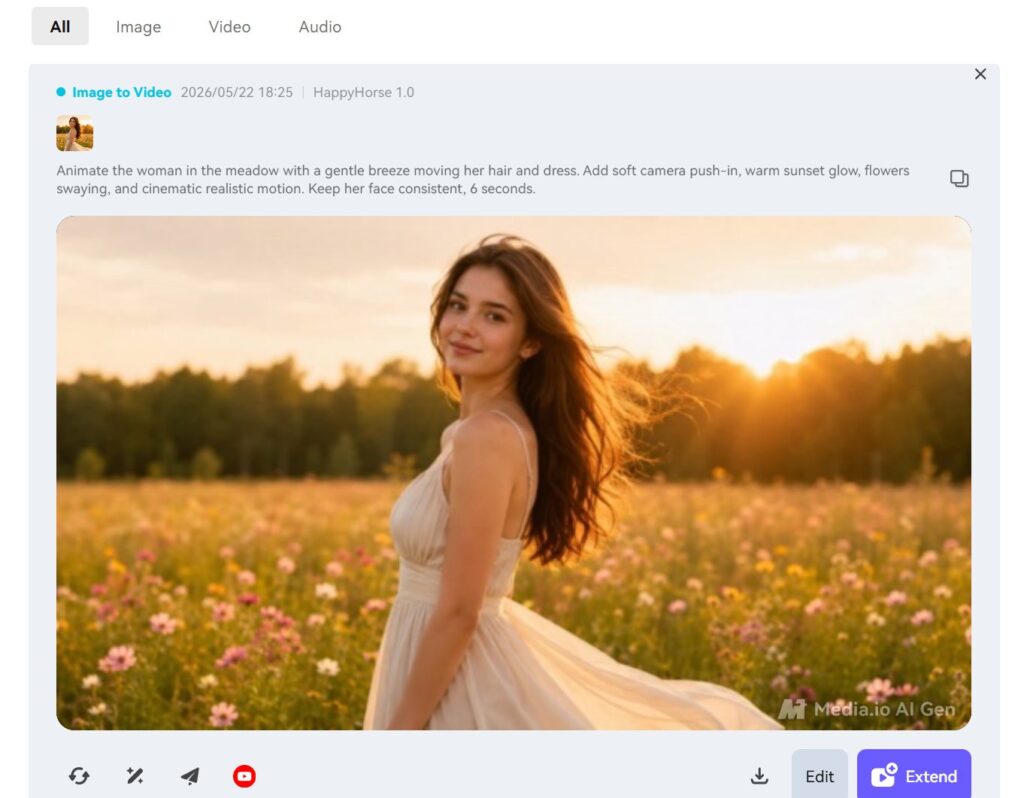
Generate the clip and review the first result. If the motion feels too busy, simplify the prompt and try again. If it feels too static, add a little more camera direction or atmosphere. Once the motion looks right, make any light edits, add music if needed, and export the asset into your ad workflow.
That second pass is often where the clip improves. A small prompt change can make the motion feel much more usable for paid creative.
Final Takeaway
For Shopify product hero images turned into short social ads, Media.io is the most balanced option for most teams. It combines image upload, motion prompts, multiple video models, a large template library, and a connected browser workflow that makes it easier to keep moving after generation.
It does have limits. Output quality still depends on the prompt, and a stable connection helps during generation. Teams looking for highly stylized or more cinematic results may lean toward a niche tool instead. And if your team already works inside a heavier editing stack, an image-to-video tool may sit alongside that workflow rather than replace it.
Still, for marketers, store owners, and lean ad teams that want to animate existing product stills into short-form creative without adding much friction, Media.io is the most practical place to start.
Also, Read: Best AI Dubbing Tools for Video Localization (2026 Guide)
FAQs
Can image-to-video clips work well enough for short product ads?
Yes. For short paid social placements, adding motion, depth, and a sense of movement is often enough to make a static product image more effective. Subtle reveals, camera push-ins, and ambient movement tend to work well.
How much prompt detail do I need for product motion clips?
Usually less than you think. Start with one motion idea, one mood cue, and one clear intention. Overloading the prompt can make the result feel messy.
Is Media.io a good fit for beginners or small ad teams?
Yes. It is a practical choice for teams that already have product stills but do not want a complicated video workflow. The browser setup, templates, and free daily credits make testing easier.
Enjoyed this article?
If TechLatest has helped you, consider supporting us with a one-time tip on Ko-fi. Every contribution keeps our work free and independent.
Support on Ko-fiDirectly in Your Inbox