Highlights
- Tiny11 gives a lightweight, faster, and efficient bloatware-free experience of the latest Windows 11 25H2.
- NTDEV, the dev of Tiny11, provides two editions of Tiny11, the vanilla and the core, with the core being double lightweight.
- We have shown you how to download the latest Tiny11 ISO files and to clean install it on your PC.
Amid Microsoft ending the support for Windows 10 on Oct 14, 2025, and forcing users to move to Windows 11 or another OS, this is the best time to push Tiny11 25H2 to the public.
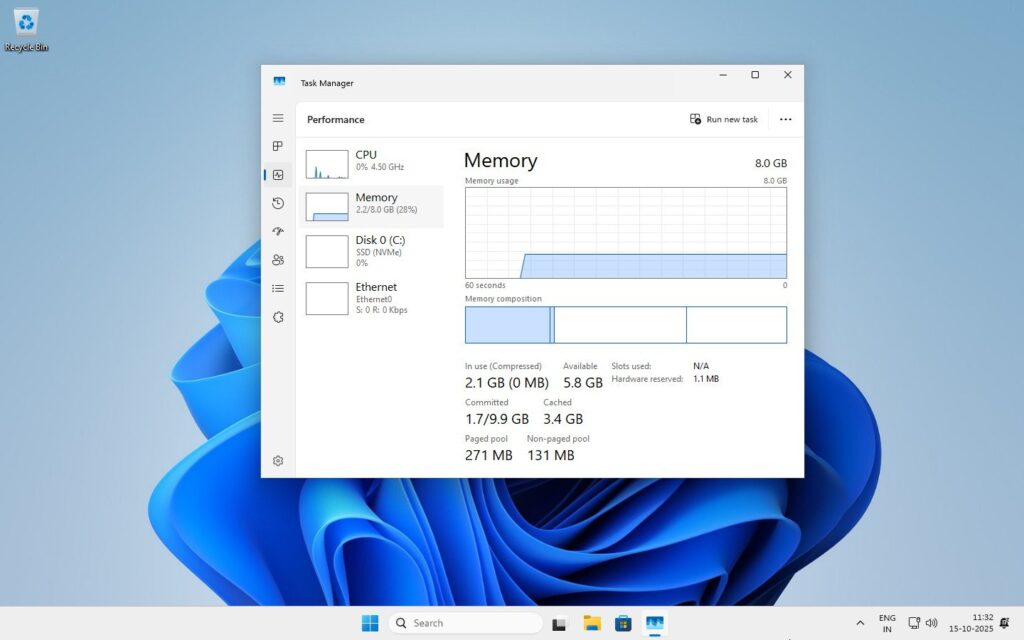
Tiny11 is a lightweight and efficient bloatware-free operating system based on Windows 11 for low-end machines. If one of the reasons for you sticking to Windows 10 was your PC’s hardware limitation for Windows 11, then Tiny11 solves that issue for you, as it is designed to run smoothly on a low-end machine.
Don’t want to miss the best from TechLatest?
Set us as a preferred source in Google Search
and make sure you never miss our latest.
If you are hesitant to upgrade from Windows 10, then Microsoft gave you a lifeline of free Extended Security Updates (ESU), which will allow you to use Windows 11 on your PC with security updates for one more year.
And if you are ready to move on from Windows 10 and either your PC’s hardware is limited or you want a lightweight, faster, and efficient bloatware-free experience, then Tiny11 is the best option available.
Additionally, Tiny11 does have a feature where you can bypass the Microsoft account requirement for Windows 11 (if you are one of them).
Follow this guide to the end to learn how you can download Tiny11 25H2 and install it on your PC. And in case you want to learn more about the Tiny11 project, refer to our previous article about it; we have covered it in detail.
Windows 11 vs. Tiny11
| Windows 11 (Official) | Tiny11 (Custom Build) | |
|---|---|---|
| System Requirements | High: 4GB RAM, 64GB storage, TPM, Secure Boot required | Low: 2GB RAM, 8GB storage, No TPM or Secure Boot needed |
| Disk Usage (Fresh Install) | 20-64 GB or more | 8 GB (can be compressed, often ~3-4GB for Core edition) |
| Bundled Apps | Full suite (Edge, Xbox, Mail, News, Weather, etc.) | Only basics (Calculator, Notepad, Paint, Terminal); Many apps removed |
| Microsoft Edge | Pre-installed, default browser | Not included |
| Microsoft Account Requirement | Required | Offline accounts allowed; no MS account required |
| Updates & Support | Official automatic updates | Manual or limited updates from NTDEV |
| Security | Full (Defender, BitLocker, Core Isolation) | Includes basic Defender; some deeper protections limited |
| Intended User | Modern PCs meeting all specs | Low-end, older, unsupported PCs |
Download Tiny11 25H2
NTDEV, the developer of Tiny11, gives you two options to get and download the ISO of Tiny11 25H2. Either you can download the prebuilt ISO by NTDEV from archive.org, or, in case you don’t trust the ISO file built by the dev itself, the dev gives you Tiny11 Builder, a tool that can be used to configure and build your own Tiny11 ISO.
For this article, we are providing the direct download links to both the Tiny11 25H2 (vanilla and core) ISOs, and we will discuss the Tiny11 Builder in the next article.
- Edition: Tiny11 25H2
- Build: 26200.6584
- Architecture: x64
- Language: en-US
- Size: 5.1 GB
- SHA256: 92484F2B7F707E42383294402A9EABBADEAA5EDE80AC633390AE7F3537E36275
- Downloads:
Last Updated: 14-Oct-2025
Download Tools: IDM, JDownloader2
- Edition: Tiny11 25H2 Core
- Build: 26200.6584
- Architecture: x64
- Language: en-US
- Size: 3.0 GB
- SHA256: 29C055FCFB7B089ABD9E007E7ABE4BB82C70A03AAC9D65E56A38B87AB32D04D2
- Downloads:
Last Updated: 14-Oct-2025
Download Tools: IDM, JDownloader2
Install Tiny11 25H2
Prerequisites
- a 8GB USB drive
- Tiny11 25H2 iso file
- Rufus tool to create bootable drive
The installation of Tiny11 is as simple as installing a normal vanilla Windows 11. You just need to download the Tiny11 25H2 iso file, create a bootable USB drive using Rufus, and install it by following the below instructions.
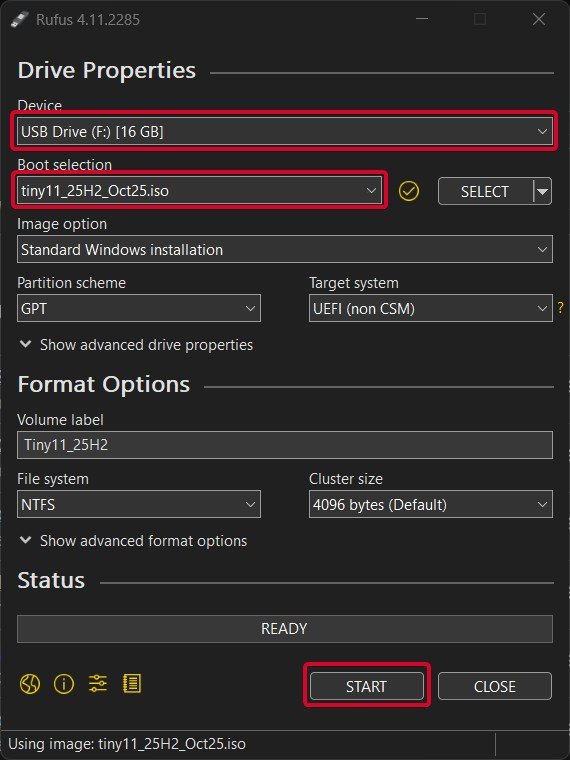
- Open Rufus and insert the USB drive into the PC.
- Select the USB Drive under the Device section, the Tiny11 iso file under the Boot Selection section by pressing the SELECT button, and select Partition scheme, Target system, or File system if applicable to you. And then press the START button.
- Plug in the USB to the system you want to install Tiny11 25H2 and restart the system. While booting, tap the Boot Menu key before the Windows logo to open it.
| Brand | Assigned Boot Menu Key |
|---|---|
| Acer | F12 |
| Asus | Esc or F8 |
| Dell | F12 |
| HP | Esc or F9 |
| Lenovo | F12, F8, F10 |
| Other | Esc or F1-F12 |
- You see a screen with a list of drives, choose the one you inserted/plugged in, and hit Enter.
- Then the Windows logo will appear on the screen for a while; if you see the animated dots, it means everything is fine.
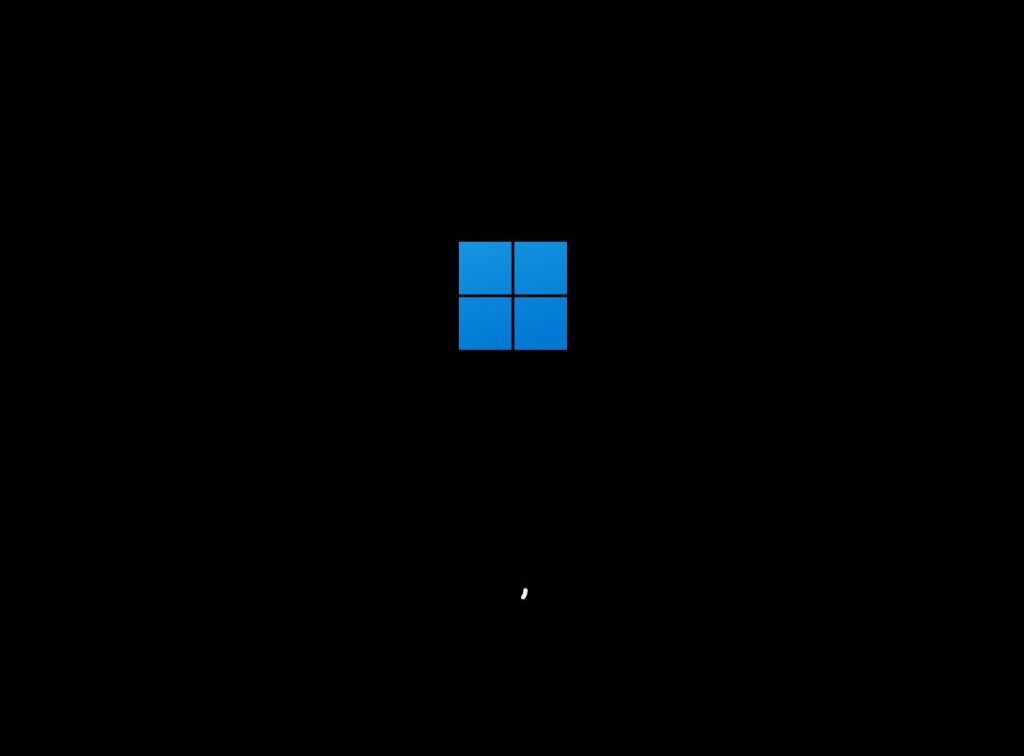
In case you are installing tiny11 25H2 Core edition, make sure to use the legacy installer; otherwise, the setup will not start and will fail.
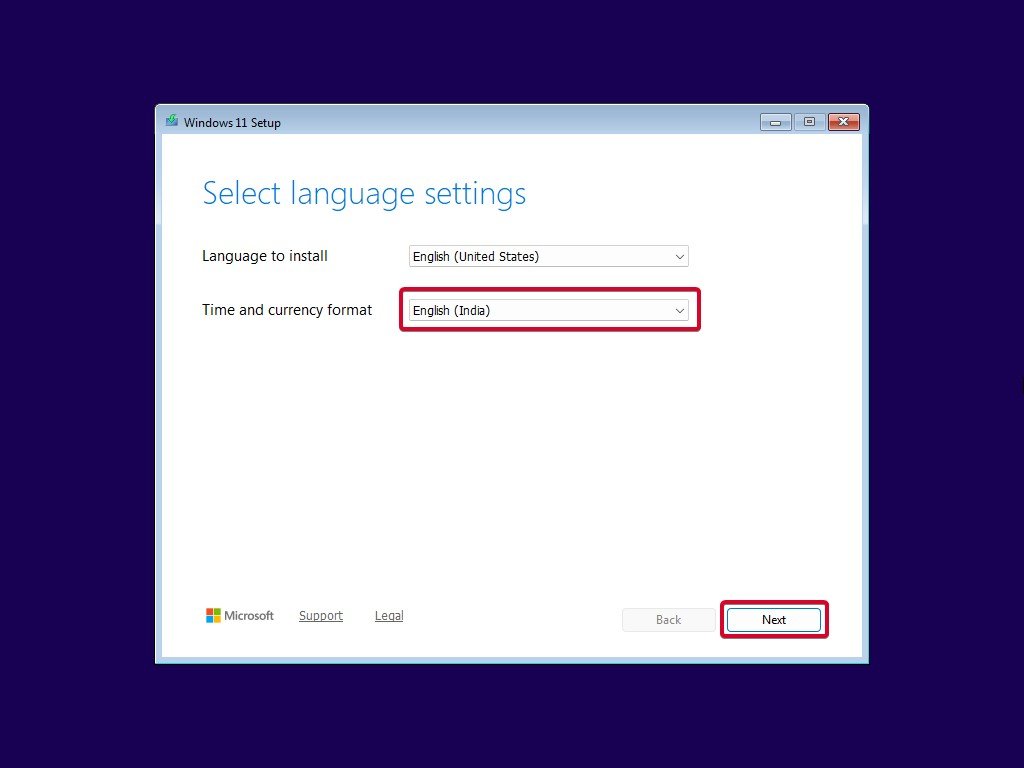
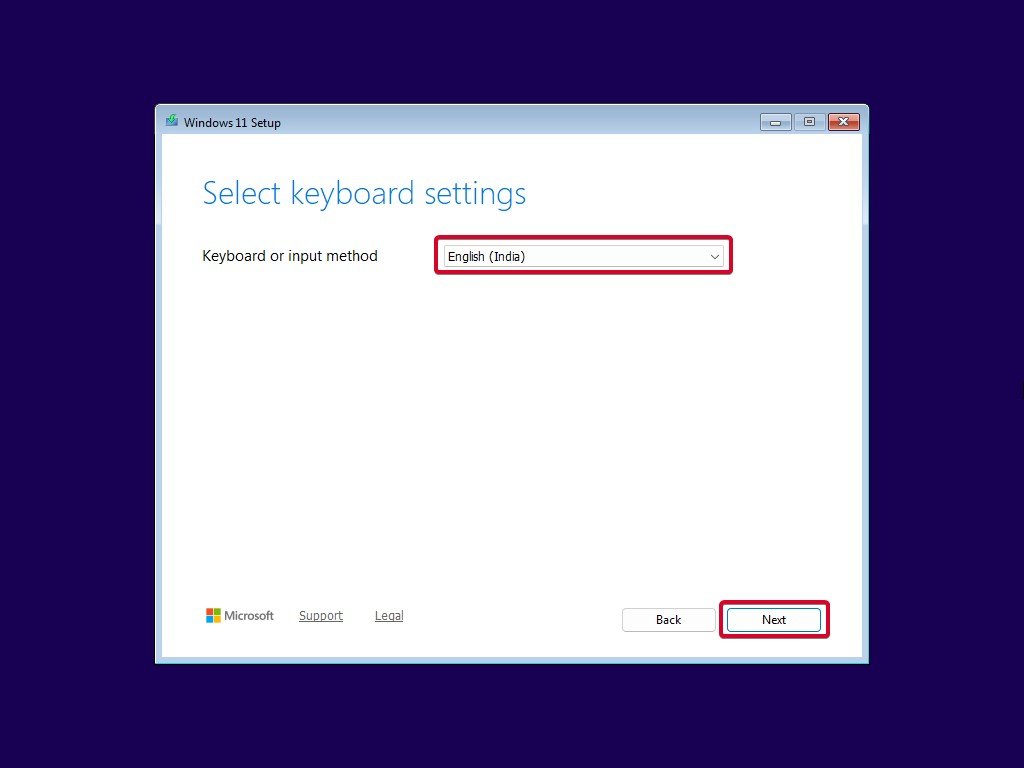
- Select the Language to install, Time and currency format, and Keyboard or input method; then click on the Next button.
- Accept the license terms. To do so, click on the Accept button.
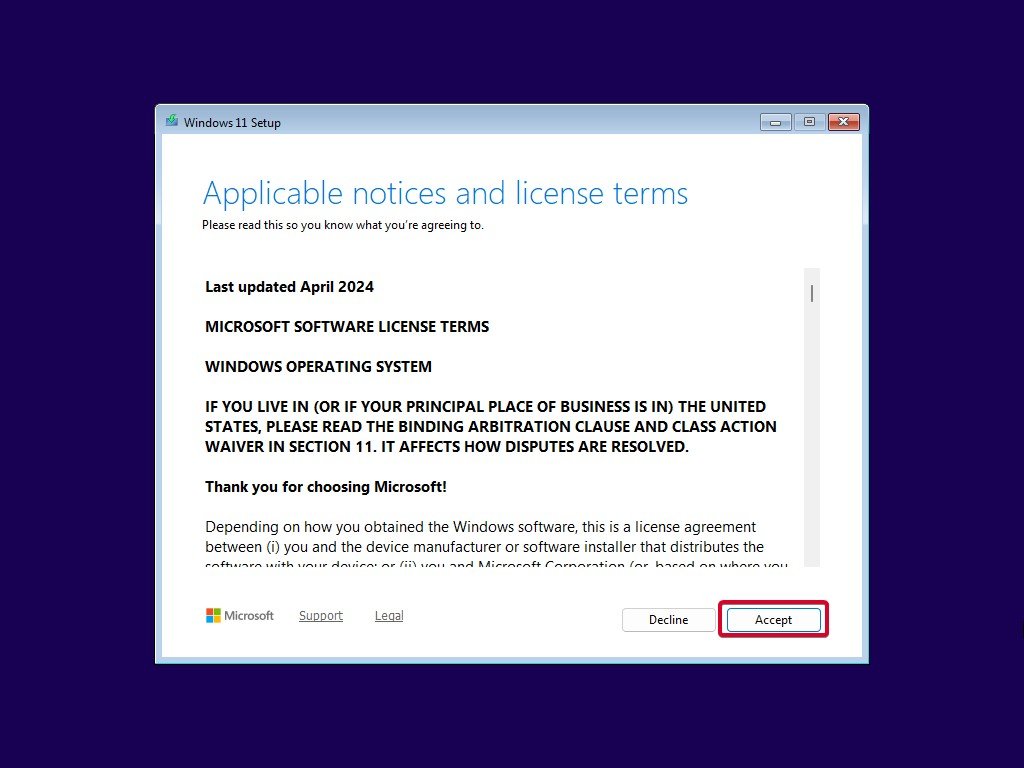
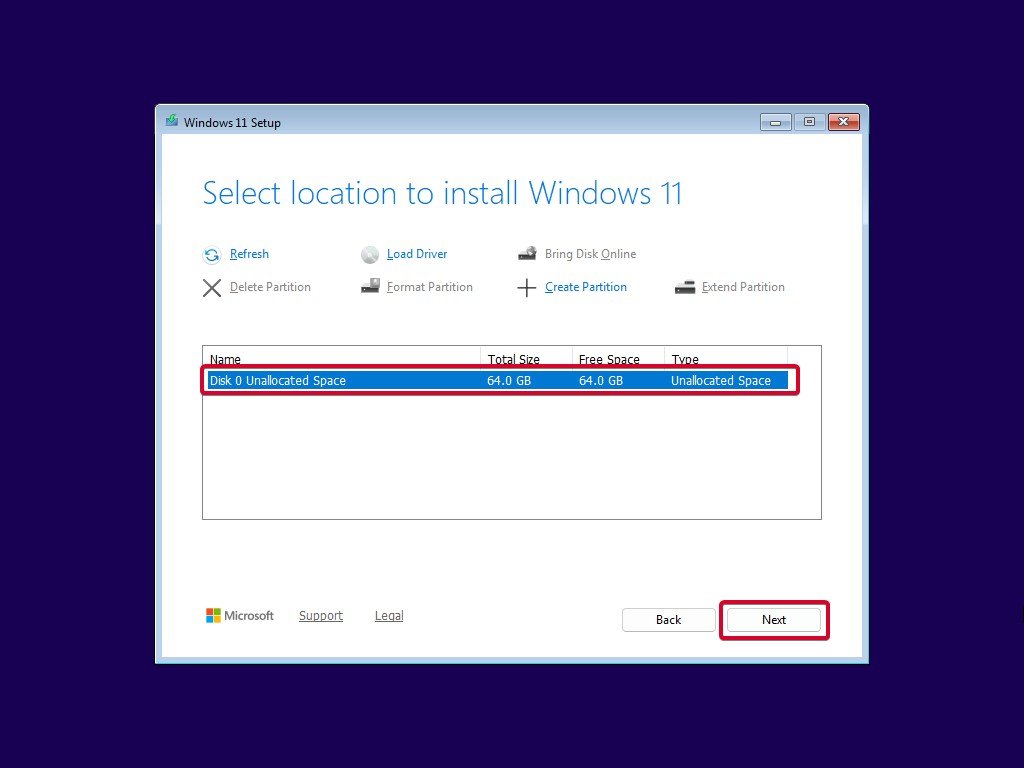
- Now, select the drive/location where you want to install Tiny11 and click the Next button.
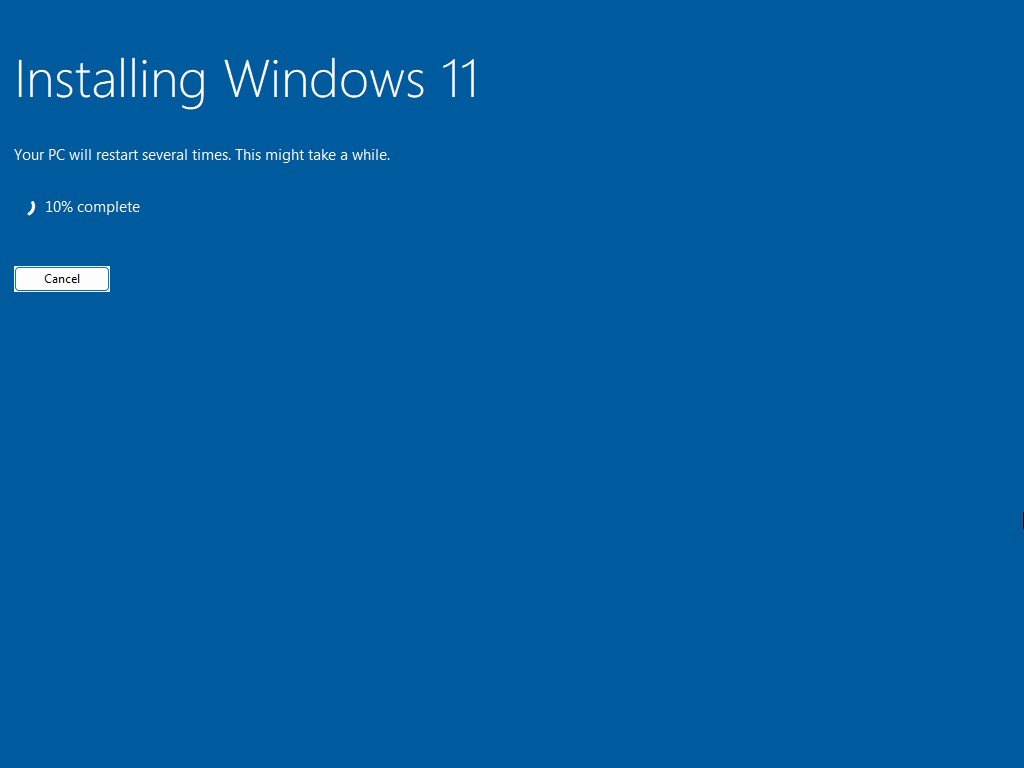
- Just wait for a few minutes while it installs.
- When all this installation is completed, Windows will reboot into the Windows 11 OOBE (Out-of-Box Experience) automatically.
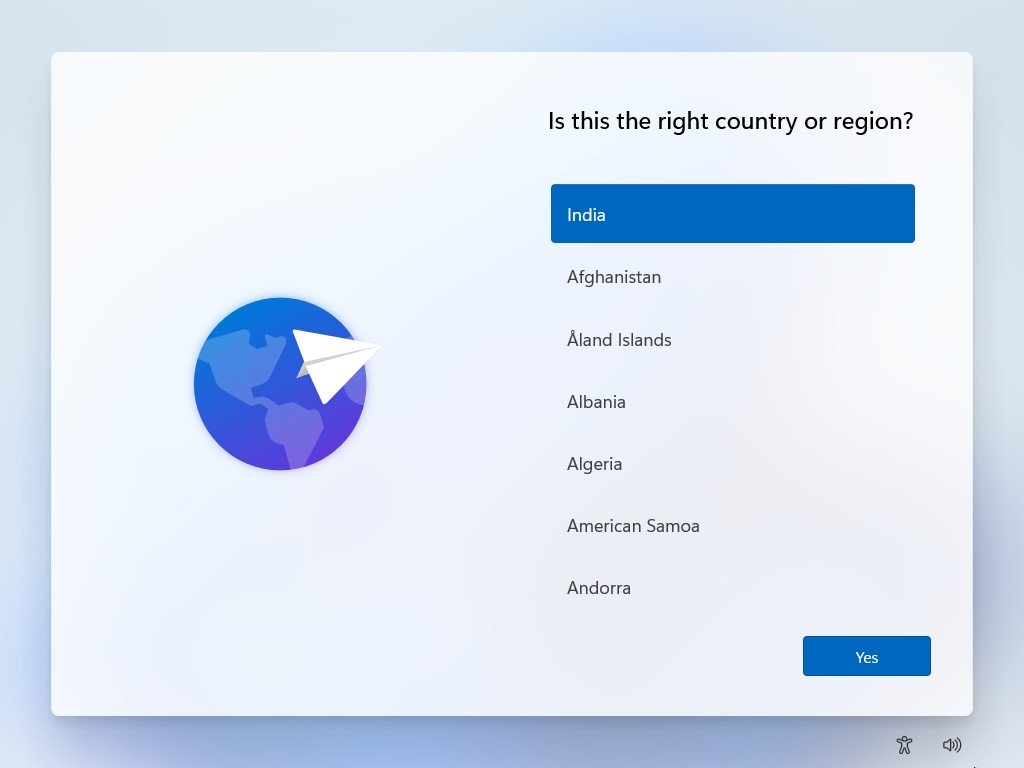
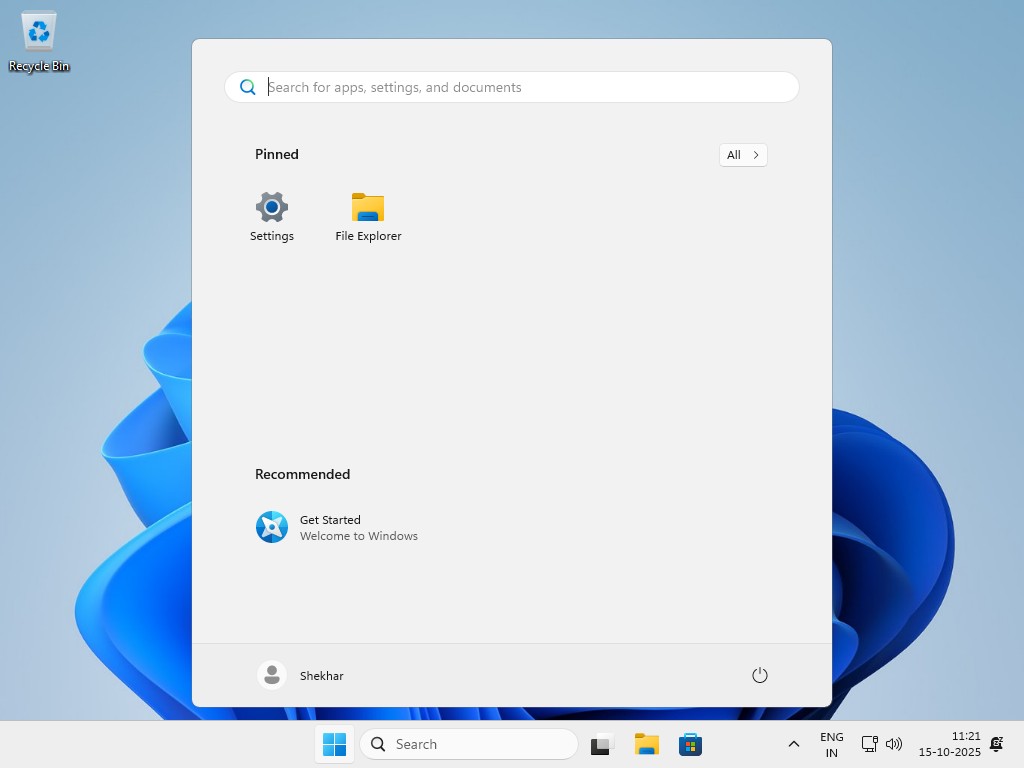
- Now, follow the on-screen instructions to complete the setup. Finally, you will be welcomed to Tiny11 home screen.
Wrapping It All
Overall, Tiny11 is more than an operating system; it’s a game changer for old computers. Its lightweight design offers a fluid, responsive experience, even on devices that struggle to run full Windows 11.
If you have any questions regarding this article, do let us know about it in the comments section below. And if you have successfully downloaded Tiny11 25H2 and installed it successfully, do let me know about it on X by tagging me.
DMCA Disclaimer
TechLatest, which includes domains *.techlatest.in and *.tech-latest.com, abides by 17 U.S.C. * 512 and the Digital Millennium Copyright Act (DMCA). Our approach involves promptly addressing infringement notices and undertaking necessary actions. Please note that we do not possess ownership of any content published in this article. If you find that your copyrighted material has been shared on our site and you desire its removal, kindly reach out to us through the provided contact information.
Enjoyed this article?
If TechLatest has helped you, consider supporting us with a one-time tip on Ko-fi. Every contribution keeps our work free and independent.
Support on Ko-fiDirectly in Your Inbox