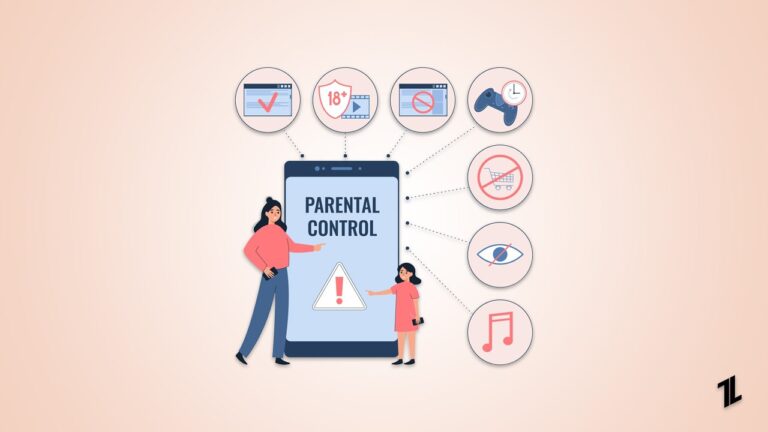
Children who spend long periods online on learning and entertainment face multiple online dangers and need digital safety protection. Parents who want to protect their children from such challenges must ensure a safe online environment by finding the best parental control apps for Android.
The current solutions offer complete systems that combine powerful system monitoring functions with privacy safeguards to protect users. These apps help parents build healthy habits from early on, while at the same time guiding the younger generation to use technology responsibly.
Don’t want to miss the best from TechLatest?
Set us as a preferred source in Google Search
and make sure you never miss our latest.
Read: What is Cyber Security? Things You Should Know?
How We Chose the Best Parental Control Apps for Android
- Compatibility and performance on Android devices
- Core features, including location tracking, screen time, app management
- Ease of use for parents and children
- Resistance to being easily bypassed by teens
- Privacy protection and data security standards (GDPR, COPPA)

Best Parental Control Apps for Android in 2026
Modern families need to find the most suitable parental control apps for Android, as their children now spend more time online.
1. AirDroid Parental Control — Best All-in-One Solution for Android Families
AirDroid Parental Control uses a “dual protection” system that covers both online activity and offline physical safety. Beyond standard app restrictions, it integrates remote camera and one-way audio features, allowing parents to verify their child’s real-world surroundings remotely.
The app also offers screen mirroring and social content detection to detect any possible threats, including cyberbullying/self-harm/explicit content. This is what makes it one of the best parental control apps for Android users.
Key Features:
- Live Location & Geofencing with real-time whereabouts tracking and safe zones
- Remote Camera for remote viewing of physical surroundings to ensure offline safety
- One-Way Audio for background environment listening and added security checks
- Social Content Detection with real-time alerts by identifying harmful messages or cyberbullying risks
- Screen Mirroring for live monitoring of digital activities directly on the screen
Compatibility: Android, iOS, Web
Pros:
- Offline monitoring with a unique remote camera and one-way audio
- Real-time screen mirroring with direct visibility into current device usage
- Detailed alert system for social media interactions and location changes
Cons:
- Functionality on iOS devices is more limited compared to the full feature set on Android
Best for: Families looking for a comprehensive tool that bridges digital supervision with physical environment monitoring.
2. Qustodio
Qustodio is known for powerful web filtering and multi-platform screen time control. Its dashboard provides a deeper breakdown of activities so parents are able to track digital habits of their children on all their devices in one account.
Being considered one of the best parental-control apps for Android, it’s especially effective in mixed-device households. This strategy ensures safety regulations are harmoniously integrated across the family ecosystem.
Key Features:
- Games & App Blocking with customizable daily time limits and schedules
- Smart Web Filtering with real-time activity alerts
- Calls & SMS Monitoring for tracking incoming or outgoing texts and call logs
Compatibility: Android, iOS, Windows, MacOS, Chromebook, Kindle
Pros:
- Wide compatibility across multiple operating systems and devices
- Detailed activity reporting
- Customizable web filtering
Cons:
- Very easy to bypass
- Inconsistent app blocking performance
- Occasional GPS inaccuracies and delays
Best for: Large families that require consistent supervision across mobile and desktop platforms.
3. Bark
Bark prioritizes content monitoring rather than just screen time limits, and it can be integrated with over 30 platforms to analyze interactions. It performs automated scanning of texts, emails, and social media to identify potential threats without compromising privacy.
This solution is ideal for adolescents who are sensitive to privacy, as it emphasizes only critical issues such as cyberbullying or mental health problems. With safety and trust reconciled, Bark remains one of the best parental control apps for Android among families with older children.
Key Features:
- Comprehensive Content Monitoring across text, email, and over 30 social apps
- Smart Safety Alerts for cyberbullying, depression, and online predation risks
- Screen Time Management with customizable daily schedules and app blocking
Compatibility: Android, iOS, Windows, Chromebook, Amazon Fire
Pros:
- Useful advice with alerts
- Extensive social platform coverage
- Non-invasive monitoring strategy based on privacy
Cons:
- A complex initial setup process often requires a computer connection
- Limited regional availability
- Restricted iOS content detection
Best for: Parents of teenagers who want to monitor for safety risks without hovering over every interaction.
4. Family Link
Google Family Link offers essential supervision tools at no cost. As a native solution, it’s fully compatible with the OS to reliably apply screen time limits and app restrictions.
Although it lacks advanced social monitoring, its stability makes it a standout option among the best parental control apps for Android. It provides a solid foundation for parents needing basic management within the Google ecosystem.
Key Features:
- Google Play Management requires parental approval for every new app download
- Screen Time Controls with hard limits and remote device locking
- Account-Level Control via an integrated Google account
Compatibility: Android devices (for children and teens) and iPhone (for parents)
Pros:
- 100% free to use
- Native system-level integration
- Seamless Google account management
Cons:
- Child device limited to Android
- Social monitoring restricted to YouTube
- Supervision optional after age 13
Best for: Families with children under 13 needing basic, reliable, and free supervision.
5. Mobicip
Mobicip simplifies digital parenting by prioritizing transparency and open communication. Its intuitive dashboard helps parents set clear boundaries and teach children responsible habits.
The app features robust internet filtering and effective time-management tools that work across various OS. This focus on trust makes it a refreshing choice among the best parental control apps for Android families.
Key Features:
- Advanced Internet Filtering using AI to scan and block inappropriate content
- Screen Time Schedules with easy-to-manage daily limits and instant locking
- App Supervision to track downloads and block apps
Compatibility: Android, iOS, Kindle Fire, Windows, MacOS, Chromebooks
Pros:
- Modern, user-friendly interface
- Supports multiple devices
- Excellent schedule features
Cons:
- Installation has limitations
- No call or text monitoring
- Limited social media monitor
Best for: Families prioritizing open communication and healthy digital habit building.
Read: The Best Security Gadgets for Your Home
How to Choose the Right Parental Control App for Your Family
The right option is based on the need to have strict online activity control or physical safety functionality offered by the parental apps. Ideally, seeking a solution that combines both capabilities is the best way to balance protection with trust.
These tools provide supervision capabilities that are needed by parents to help their children stay safe in the digital world. Using one of these best parental control applications for Android will help ensure your family stays safe and connected.
Enjoyed this article?
If TechLatest has helped you, consider supporting us with a one-time tip on Ko-fi. Every contribution keeps our work free and independent.
Support on Ko-fiDirectly in Your Inbox