Employee email accounts are frequent targets for spoofers — attackers use names, job titles, and company branding that appear authentic to make fraudulent messages seem valid. When an email appears to originate from a manager, HR representative, executive, or payroll staff member, recipients are likely to believe the instructions.
A successful spoofing attempt results in stolen login details, fraudulent payments, exposed data, or other security failures. HR teams are responsible for reducing the risk that attackers misuse employee identities through deceptive emails.
Don’t want to miss the best from TechLatest?
Set us as a preferred source in Google Search
and make sure you never miss our latest.
Content Table
Understand Email Spoofing Risks

Email spoofing is an activity where an attacker makes a message look like it came from a trusted sender or organization. Attackers sometimes change the visible sender name so the recipient sees a name they recognize.
In other instances, the message uses a domain name that is different from the legitimate company domain by only a few characters. HR teams should be aware that spoofing is not always an indication that an attacker has accessed a mailbox. The objective is to create an appearance of legitimacy without gaining direct access to the account.
HR departments face specific risks because they manage sensitive data and communicate regarding payroll, benefits, hiring, records, and policies. Attackers impersonate HR staff to ask for tax documents, banking details, passwords, or confidential records.
They also impersonate executives or managers to ask employees to buy gift cards, transfer money, or provide data. If HR teams recognize these patterns, they can establish safeguards before suspicious messages cause financial loss or privacy violations.
Read: How to Get Rid of Spam Emails?
Strengthen Employee Authentication
Strong authentication reduces the damage of attacks that target passwords. HR teams are able to work with IT administrators to require unique passwords and multi-factor authentication for email accounts.
Multi-factor authentication is a process that requires a second verification method beyond a password — this makes it difficult for an attacker to use stolen credentials — this protection is necessary for HR employees who handle confidential personnel data.
Authentication policies are also necessary for employees who have high levels of access to HR systems. HR teams can coordinate with IT to review which employees can view sensitive records and if those accounts have security controls.
If an employee changes roles or leaves the organization, administrators must adjust access immediately. HR software is a tool that helps organizations manage data and keep personnel records current.
Improve Email Verification Practices
Employees must know how to verify unusual requests before they respond. A message that asks for payroll changes, confidential documents, passwords, or urgent money transfers is a message that requires scrutiny. Employees can contact the sender through a known phone number or an internal chat channel instead of replying to the email — this practice prevents an attacker from directing the conversation.
HR teams are able to establish internal procedures for sensitive requests. As an example, a change to direct deposit details might require a confirmation through a secure portal. Requests for confidential records might require a manager to authorize the action — these procedures mean the organization does not rely on email alone. They are useful when attackers use urgent language to stop employees from checking details.
Read: Google Passkeys – What is it? How does it Work? Safer than 2FA? How to Set up?
Protect The Company Email Domain
HR teams should coordinate with IT to ensure the email domain has authentication controls. Technologies like SPF, DKIM, & DMARC help mail systems identify if a message is authorized — these controls make it difficult for attackers to impersonate the domain. HR professionals do not have to manage these technical settings, but they should understand their purpose.
Domain protection also involves monitoring for deceptive domains. Attackers register addresses that look like the company domain to contact employees or job applicants. HR teams can work with IT to monitor reports of suspicious messages. When HR leaders select the best HR software, they should consider how the platform handles security and sensitive data.
Train Employees To Recognize Spoofed Messages
Security awareness training helps employees identify warning signs in spoofed messages. Training describes unexpected requests, unusual sender addresses, urgent tones, unfamiliar links, and suspicious attachments.
Employees should learn that a message is able to look convincing even when it is fraudulent. Attackers copy logos and signatures to make messages seem authentic.
Training is effective when it uses situations employees face. HR teams can provide examples about payroll, benefits, and requests from leaders. Employees must also know how to report suspicious messages without being blamed.
A simple reporting process allows security staff to investigate threats and warn others. Organizations that use Canadian HR software should ensure training reflects Canadian privacy laws.
Review Access And Account Activity
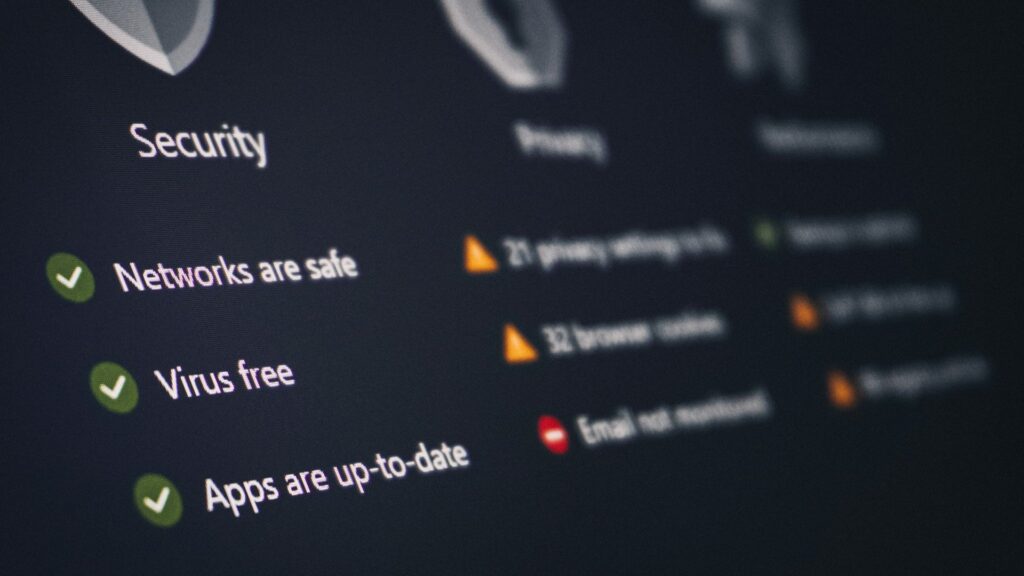
HR teams should regularly check who is able to access employee data. High levels of access increase the damage if an account is compromised. Access is based on current job duties, and permissions are removed when they are unnecessary. Periodic reviews help find accounts belonging to former employees or unnecessary administrative privileges.
Organizations must have a process for responding to reports of suspicious activity. IT teams investigate login activity, reset passwords, and review systems. HR supports the response — confirming employment details and talking to affected employees. Coordination between HR and IT reduces delays when an incident involves sensitive records.
Read: Here’s How I Keep My Remote Work Setup Secure
Establish Clear Security Policies
A written email security policy provides a standard for handling requests. The policy explains when to verify a request, how to transfer data, and how to report messages. Rules are helpful for remote employees who cannot confirm a request in person.
Policies are updated as threats change — HR teams work with IT to update procedures after incidents or technology changes. New employees receive guidance during onboarding, and current employees receive reminders — these practices ensure that security is a normal part of work.
Read: How Engineering Teams Can Prepare for Security Regulation Without Slowing Down
Conclusion
Reducing the risk of email spoofing requires cooperation between HR, IT, and employees. Domain protection, verification, training, and clear policies make fraudulent messages less effective.
HR teams are vital because they manage the data that attackers want. If an organization treats email security as part of information management, the organization is less likely to experience data theft or fraud.
Enjoyed this article?
If TechLatest has helped you, consider supporting us with a one-time tip on Ko-fi. Every contribution keeps our work free and independent.
Support on Ko-fiDirectly in Your Inbox