I write for a living, which means I’ve spent the last couple of years getting increasingly paranoid about AI detectors. Not because I’m secretly having ChatGPT write my articles — I’m not — but because detectors have gotten aggressive enough that clean, boring, correctly structured human writing sometimes gets flagged anyway.
A client emailed me last year with a screenshot showing 40% “AI probability” on a piece I’d typed sentence by sentence at 11pm with too much coffee in me. That’s when I stopped treating AI detection as someone else’s problem and started building it into my actual workflow.
Don’t want to miss the best from TechLatest?
Set us as a preferred source in Google Search
and make sure you never miss our latest.
Here’s what that workflow looks like now and the two tools that ended up doing most of the work.
Read: Top AI-Powered Productivity Tools in 2026
Step one: find out what’s actually getting flagged
The mistake I used to make was assuming a detector’s single percentage score told me anything useful. It doesn’t, really — “62% AI” doesn’t tell you which sentence tripped the alarm or why. What changed things for me was switching to a detector that breaks a document down sentence by sentence instead of scoring the whole thing as one block.
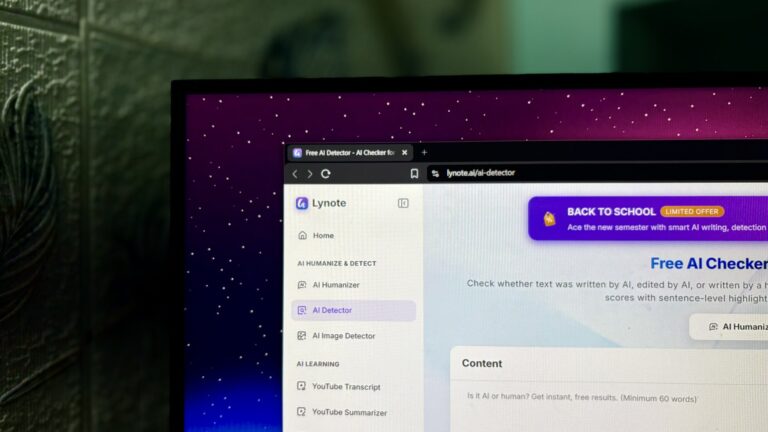
I’ve been using Lynote’s AI detector for this. It looks at rhythm, repetition, lexical variance, and predictability — the patterns that separate AI-generated writing from human writing — and highlights exactly which lines look AI-written, AI-edited, or mixed, instead of just handing back one number. It also flags paraphrased text, not just raw AI output, which matters if you’ve ever run something through a rewriter tool without realizing the detector would still catch it.
There’s no sign-up wall for a quick check, it covers 50-plus languages, and it doesn’t use submitted text to train its models — worth knowing before you paste in anything unpublished. If you’re comparing options, best AI detector is a decent starting point at lynote.ai/ai-detector, since most of what I’d want from a detector is the sentence-level breakdown rather than a single score.
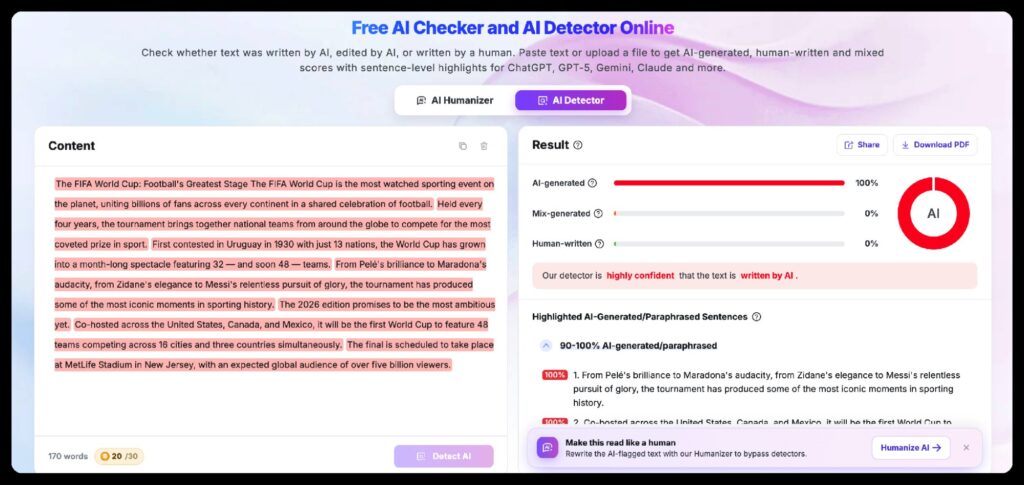
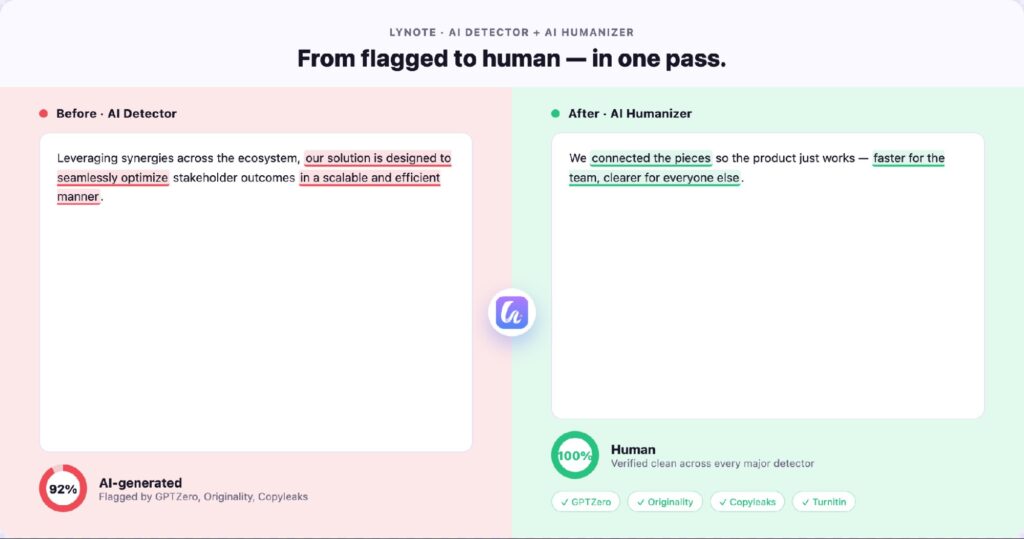
Running my own drafts through it taught me something I didn’t expect: the sentences that get flagged most often aren’t the ones that sound robotic — they’re the ones that are grammatically perfect and slightly too even in rhythm. Turns out “clean” and “human” aren’t the same thing to a detector.
Read: Web Content Writing Tools Every Writer Must Know About
Step two: fix what’s actually flagged, not the whole draft
Once I know which sentences are the problem, rewriting the entire piece from scratch is overkill. This is where a humanizer tool earns its place in the workflow — not to generate content, but to fix the specific passages a detector already told me to look at.
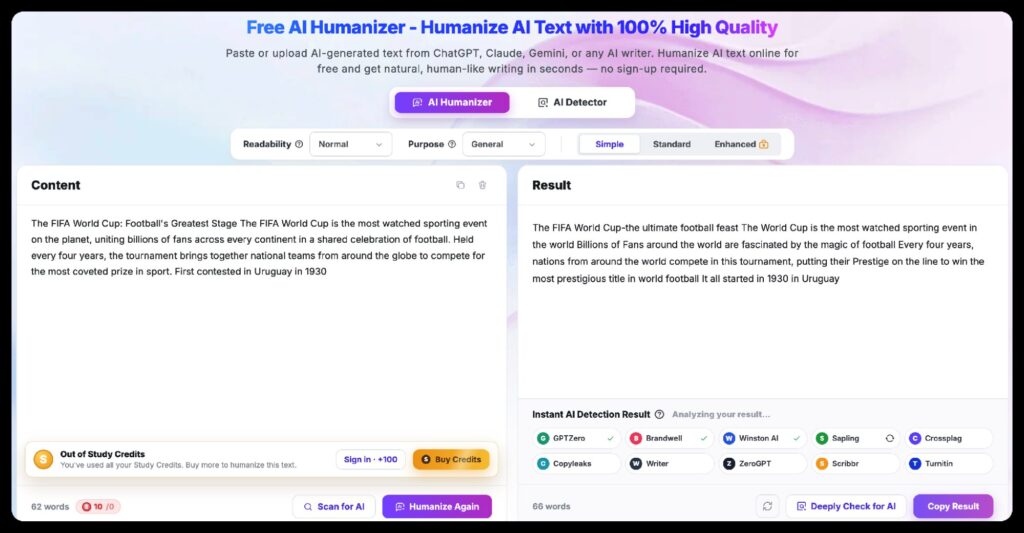
AI humanizer tools work by rewriting at the sentence and paragraph level — targeting the low perplexity and flat rhythm that make writing read as machine-made — rather than swapping out individual words, which is the kind of thing detectors learned to catch years ago.
Lynote’s version gives you three levels to choose from: a light pass for small touch-ups, a standard pass for more noticeable rewriting, and an enhanced pass built for stricter scanners like GPTZero. It keeps your original meaning and any SEO keywords intact, which matters if the piece you’re fixing is going to get published somewhere that cares about search rankings, and the output is built to pass plagiarism checks rather than reading like something that’s been spun.
Where this fits if you’re setting up your own workflow
I’ve folded this into the same mental checklist I use for backups and security — the stuff that’s boring until the one time it isn’t. Before anything goes out the door, run it through the detector, look at what’s flagged instead of just the score, decide whether it’s a real problem or the tool being oversensitive, and only humanize the specific sentences that need it.
That last part matters more than it sounds — running an entire clean draft through a humanizer “just in case” tends to introduce awkward phrasing you then have to go back and fix anyway. Treat it as a targeted patch, not a blanket pass over everything you write.
Read: Best MS Office Alternatives for Content Writers
What this actually changed for me
The real shift wasn’t finding a magic tool — it was stopping the habit of treating “detector flagged it” and “AI wrote it” as the same thing. They’re not. A detector flags patterns, not intent, and once I started running my own writing through one before sending it anywhere, I caught things I wouldn’t have otherwise noticed: sections where I’d unconsciously smoothed my own voice into something flatter than usual, probably from editing the same paragraph too many times in one sitting.
If you’re a freelancer, a content marketer, or anyone whose writing gets evaluated by someone else’s automated tool before a human ever reads it, I’d treat this the same way I treat a spell-checker now — not because I don’t trust my own writing, but because the check takes thirty seconds and the alternative is finding out the hard way, from a client email, that it didn’t pass.
Enjoyed this article?
If TechLatest has helped you, consider supporting us with a one-time tip on Ko-fi. Every contribution keeps our work free and independent.
Support on Ko-fiDirectly in Your Inbox